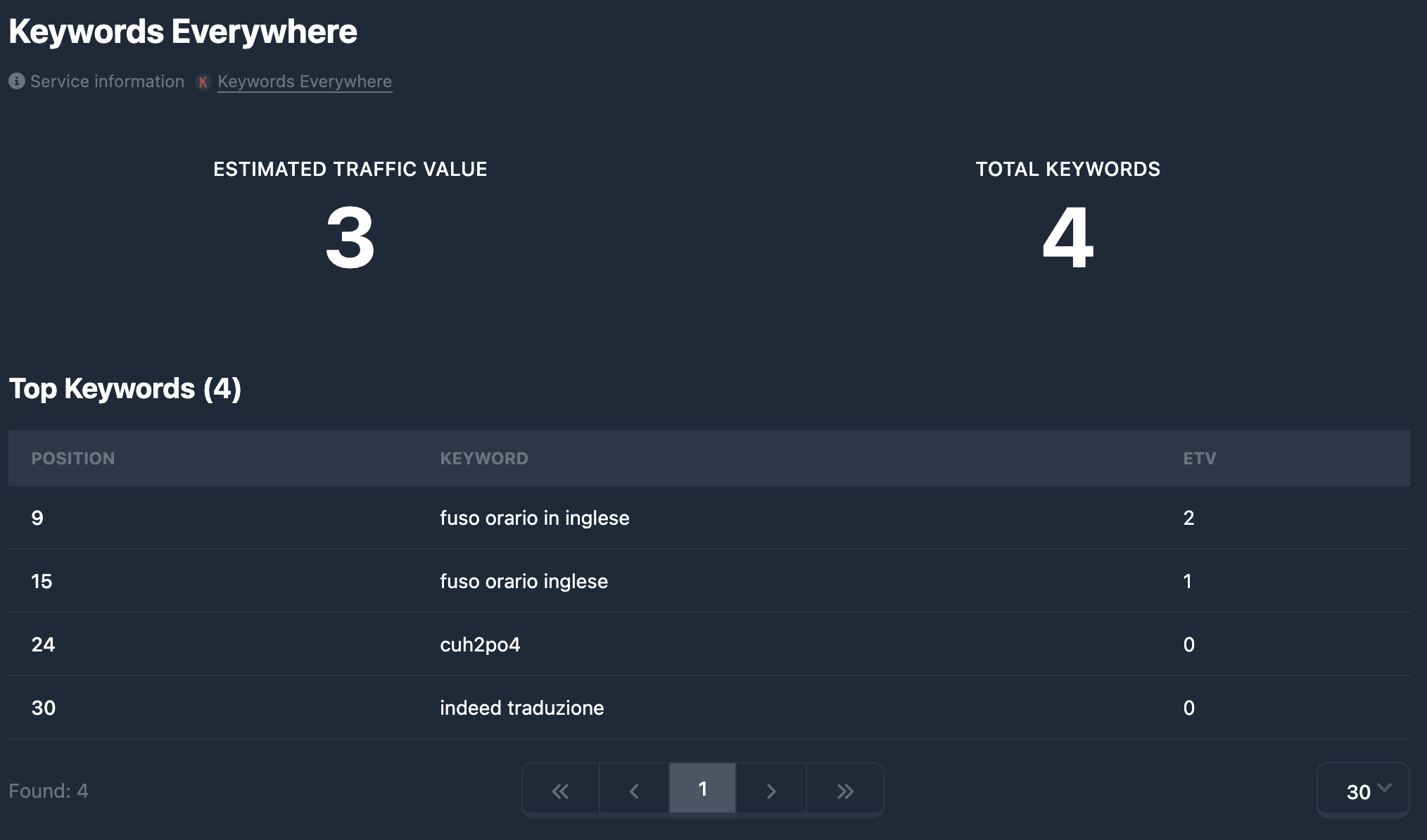
域名报告中的 Keywords Everywhere标签页展示 Keywords Everywhere 服务的数据:Estimated Traffic Value (ETV)——按关键词估算的流量价值、Total Keywords——关键词总数,以及在有数据时的 Top Keywords表(每条关键词的位置与 ETV)。数据来自 Keywords Everywhere;Karma.Domains 显示已获取的导出结果。
若无 Keywords Everywhere 数据,仅显示标题和**(无数据)**提示,不显示卡片与表格。
标题与服务链接
顶部为 Keywords Everywhere标题及说明数据来自外部来源,并提供 Keywords Everywhere链接。在新标签页打开 keywordseverywhere.com 首页。演示模式下链接可能不可用。
摘要卡片
并排两张卡片(窄屏下纵向堆叠):
Estimated Traffic Value (ETV)——以美元(或 Keywords Everywhere 使用的货币)估算的流量价值,表示若将有机关键词流量变现可能带来的收益。数字带千位分隔符。无值时显示 —。
Total Keywords——已跟踪或已有数据的关键词总数。数字带千位分隔符。无值时 —。
Top Keywords(关键词表)
若报告包含关键词列表(data),会显示 Top Keywords区块,标题括号内为总条数,例如 Top Keywords (150)。
表格有三列:
- Position——关键词位置(序号或 SERP 位置,取决于服务返回方式)。
- Keyword——关键词文本。演示模式下可能被遮盖。
- ETV——该关键词的 Estimated Traffic Value,格式与 API 一致(数字或字符串)。
行顺序与数据一致(通常按 ETV 降序或按位置)。长关键词在单元格宽度内换行或截断。
表格下方为分页:默认每页 30 条;可翻页并在支持时更改每页条数。设置可能在会话内保持(例如针对该标签页)。
在搜索中按 Keywords Everywhere 筛选
报告中的指标(Estimated Traffic Value、Total Keywords、关键词文本搜索以及筛选面板中的其他字段)可在从表格中选择域名时使用——位于 Keywords Everywhere 筛选区块。范围与文本条件说明见 Keywords Everywhere 筛选。
简要总结
- Keywords Everywhere标签显示两张摘要卡片:**Estimated Traffic Value (ETV)**与 Total Keywords。
- 有数据时显示 Top Keywords表,列包括 Position、Keyword、ETV,并带分页(默认每页 30 条)。
- 在数据库中按 Keywords Everywhere 条件筛选——见 Keywords Everywhere 筛选。