The Google information tab in the domain report shows data related to Google search: pages in the index (results for site:domain.tld) and domain mentions (results for "domain.tld"). For each type, the first SERP positions appear as a list of snippets, with a button to open Google for the full view.
If the report has no Google data, the tab shows only the heading and the (Not found) label. Other blocks are hidden.
Tab heading
At the top of the tab is the heading Google information. Below it are two blocks: first Pages in the index, then Domain mentions.
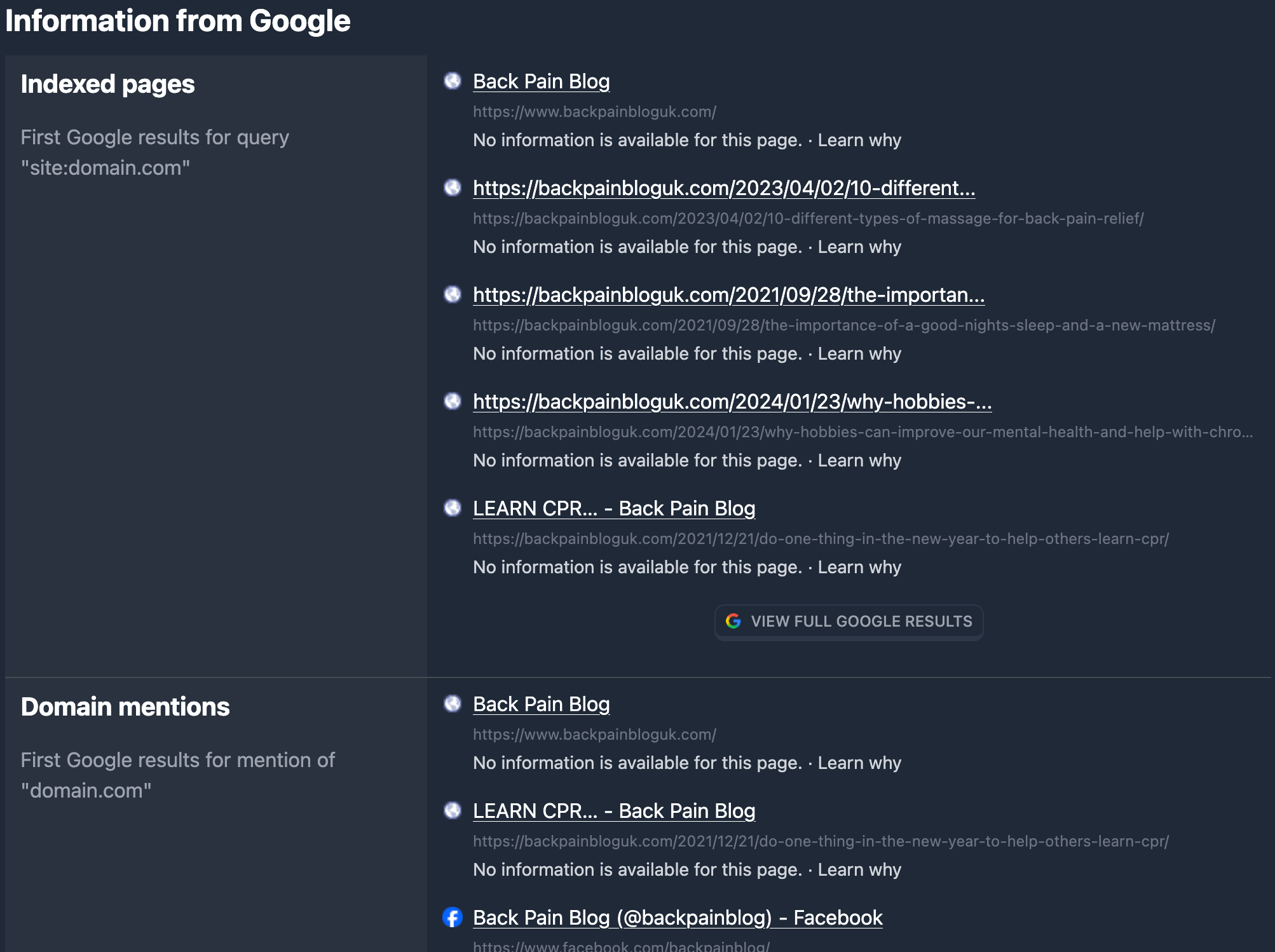
“Pages in the index” block
This block answers: which pages of the domain appear in Google for site:domain.tld (search over indexed pages of that domain).
Subheading and description
Under the Pages in the index heading there is an explanation: “First Google results for the query site:domain.com” (the actual report domain is substituted for domain.com).
Result list
When data exists, a list of positions is shown — the first Google results as snippets:
- Title — clickable line (opens the page URL in a new tab). A favicon from Google appears to the left of the title.
- URL — page address (truncated when long; full URL on hover). Shown under the title in smaller text.
- Description — snippet description text from Google.
In demo report mode, the title, URL, and description may be masked; the link does not navigate until the full report is opened.
If there are no results for site:domain.tld, (Not found) is shown instead of the list.
“View full Google” button
Below the list (or below Not found) there is a button with the Google icon and the text View full Google. It opens a Google search for site:domain (the report domain) in a new tab. In demo mode the button may be disabled.
“Domain mentions” block
This block shows whether Google has pages that mention the domain as a phrase (quoted query domain.tld). These are not necessarily pages on the domain itself — any indexed documents that contain that mention.
Subheading and description
The block title is Domain mentions. Below it: “First Google results when the domain domain.com is mentioned”.
Result list
The list structure matches Pages in the index: for each position, title (link), URL, and snippet description. The list reflects the first results for the domain.tld query in Google.
When there is no data, (Not found) is shown.
“View full Google” button
Below the block — a button that opens Google for the domain.tld query in a new tab. It may be disabled in demo mode.
Relation to search filters
You can set conditions on the same data when searching domains in the database — in the Google filters block: presence in the index (Has Google index), mentions (Has Google mentions), keywords in the snippet title and description (index and mentions).
In short
- The Google information tab has two blocks: Pages in the index (
site:domain.tld) and Domain mentions ("domain.tld"). - Each block lists the first results (title, URL, description) or Not found, plus View full Google to open Google.
- When there is no report data, only the tab heading and Not found are shown.