Stay updated with the latest news and announcements from Karma.Domains
Stay informed about the latest developments, feature releases, and important announcements from the Karma.Domains team. You can also receive the latest news via RSS/Atom.
Karma browser extension: checkers in Chrome
The Karma browser extension runs the same free checkers from a Chrome popup: authority, age, expiry, spam score, backlinks, anchor text, DNS, WHOIS, cache, page count, and traffic.
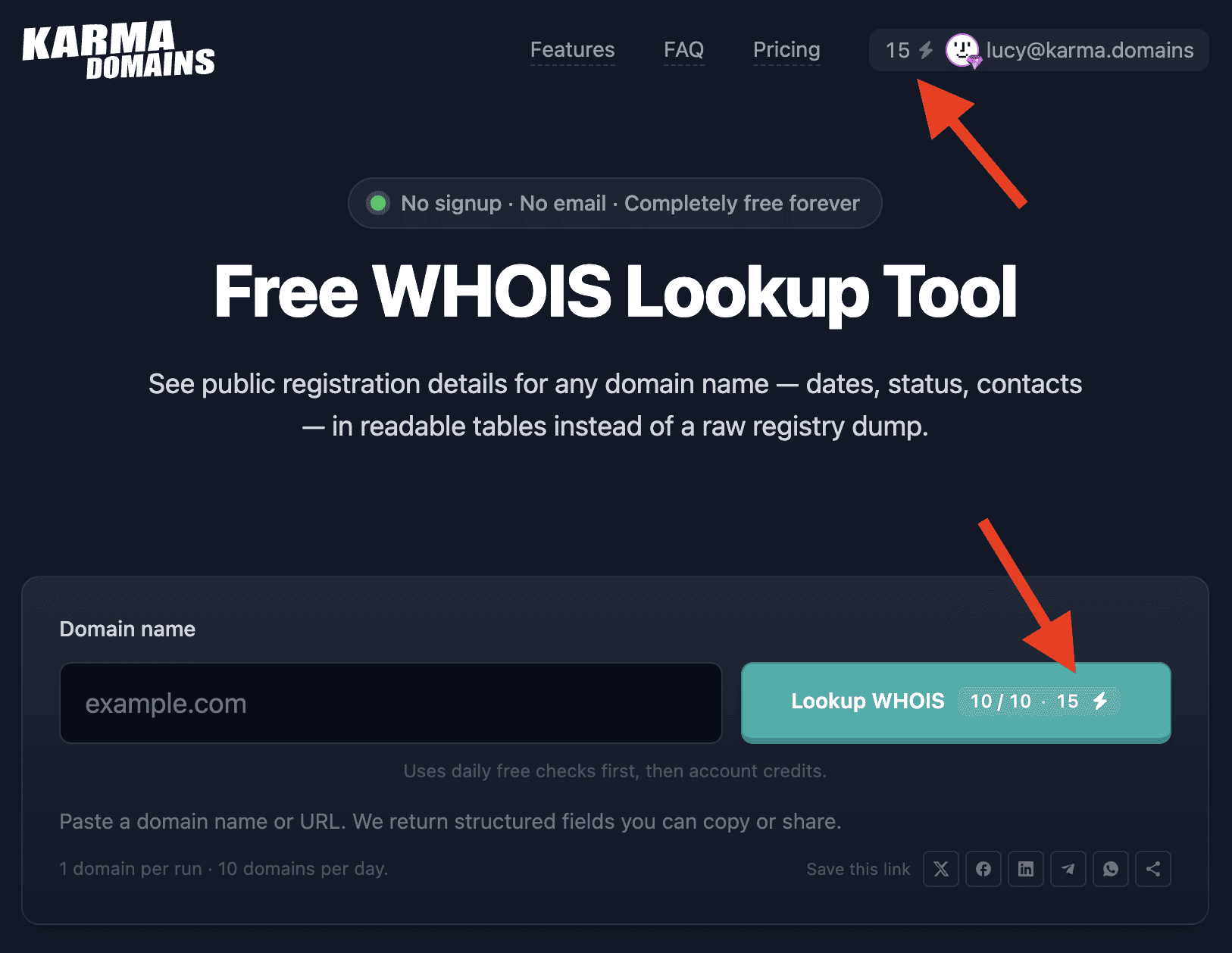
Sign in once and the popup shows the email on the account, the plan, and the credit balance. Checks follow the free tools: the first 10 domains each day are free, then 1 credit per domain. Purchased credits do not expire.
On Google, Bing, and DuckDuckGo the extension still shows domain age and Karma Metric next to each result.
On the free tools (DA, age, expiry, spam score, DNS, WHOIS, backlinks, and the other live checkers), checks are billed like this: first 10 domains per day with no account, then credits from your profile once you sign in.
One domain check costs 1 credit.
You can buy more credits on Pricing. Purchased credits have no expiry — use them whenever you need until the balance runs out.
Webhooks for expired and auction domains
Webhooks send a signed JSON POST to Zapier, Make, n8n, IFTTT, or any public HTTPS URL. You need a Pro plan. Add a subscription in Profile → Developer, or with POST /v1/webhooks and the same key as the Public API.
Three kinds:
Filter — domain.matched_filter when a report starts matching a saved search. Rows already in the list are not sent again.
Reports — watch specific reports (from favorites in the UI, up to 100). Auction price, bid count, ending soon, and ended, plus this account's note, tags, and favorite.
User tasks — usertask.created and usertask.completed.
Each delivery is signed with Standard Webhooks. The whsec_ secret is shown once: when you create the subscription or rotate the secret. An account can have 30 subscriptions and 5,000 deliveries per UTC day.
Setup and payload examples are on the webhooks page.
Domain name: filters and the breakdown in the report
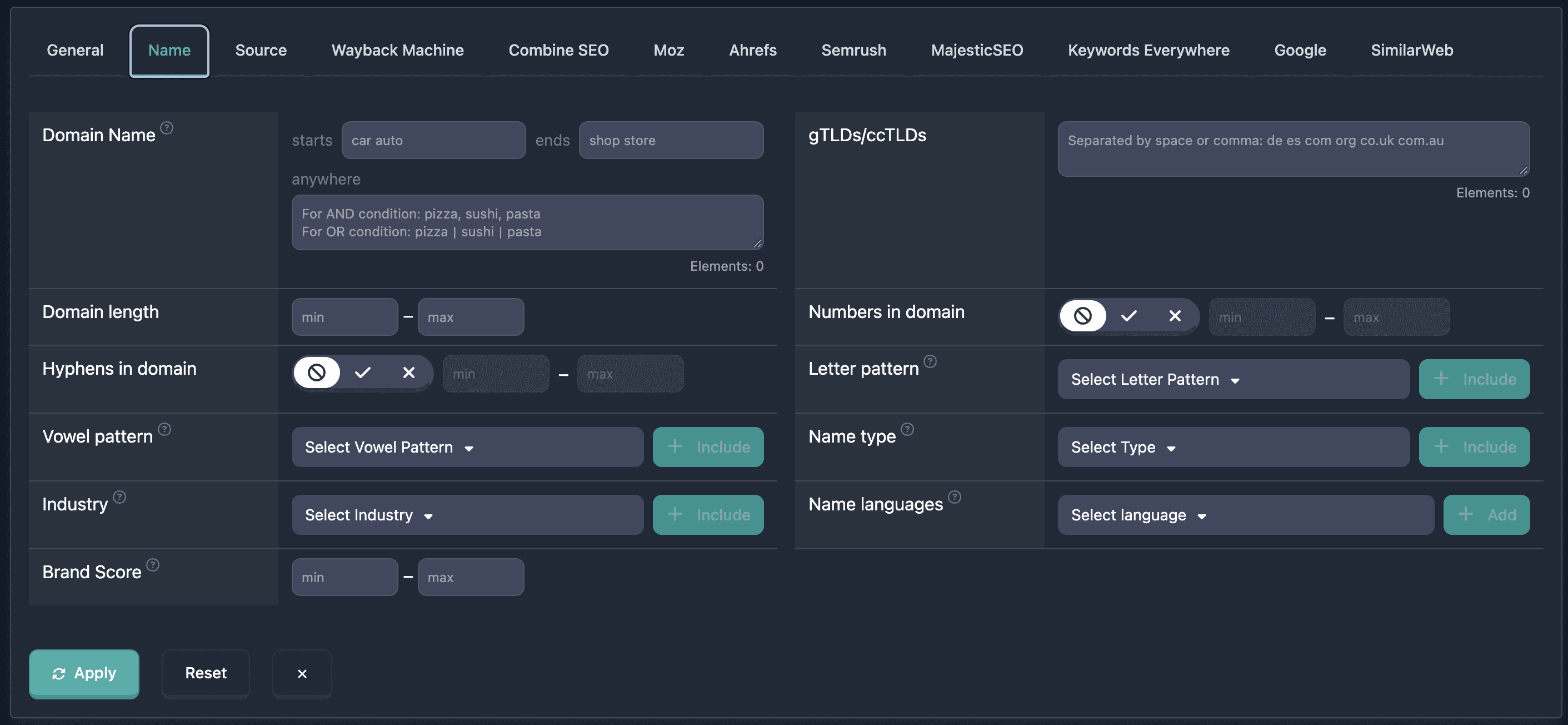
The list filters now have a Name tab. It lets you pick domains by the name itself, not by the history of the site.
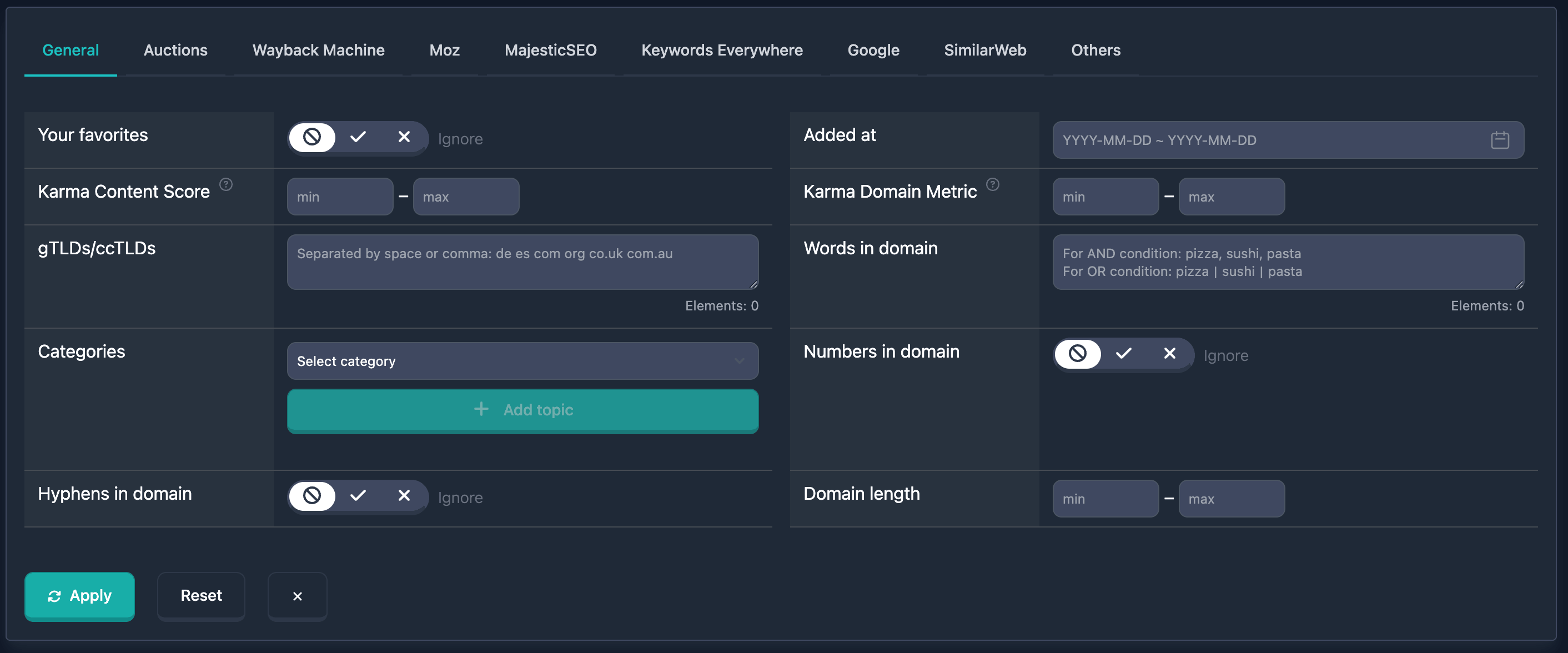
Domain Name searches the start, the end, and anywhere in the name: a comma means AND, a vertical bar means OR. Next to it are gTLDs/ccTLDs, length, digits, and hyphens.
Letter pattern and Vowel pattern describe the shape of the name. L is a letter, N is a digit, H is a hyphen, X is any other character. In the vowel pattern, V is a, e, i, o, u, y, and C is any other Latin letter.
Name type, Industry, and Name languages are read by an AI model. That is a judgment of the name, not the category of the site, and it can be wrong. Brand Score is filtered in the same block, with a minimum and a maximum.
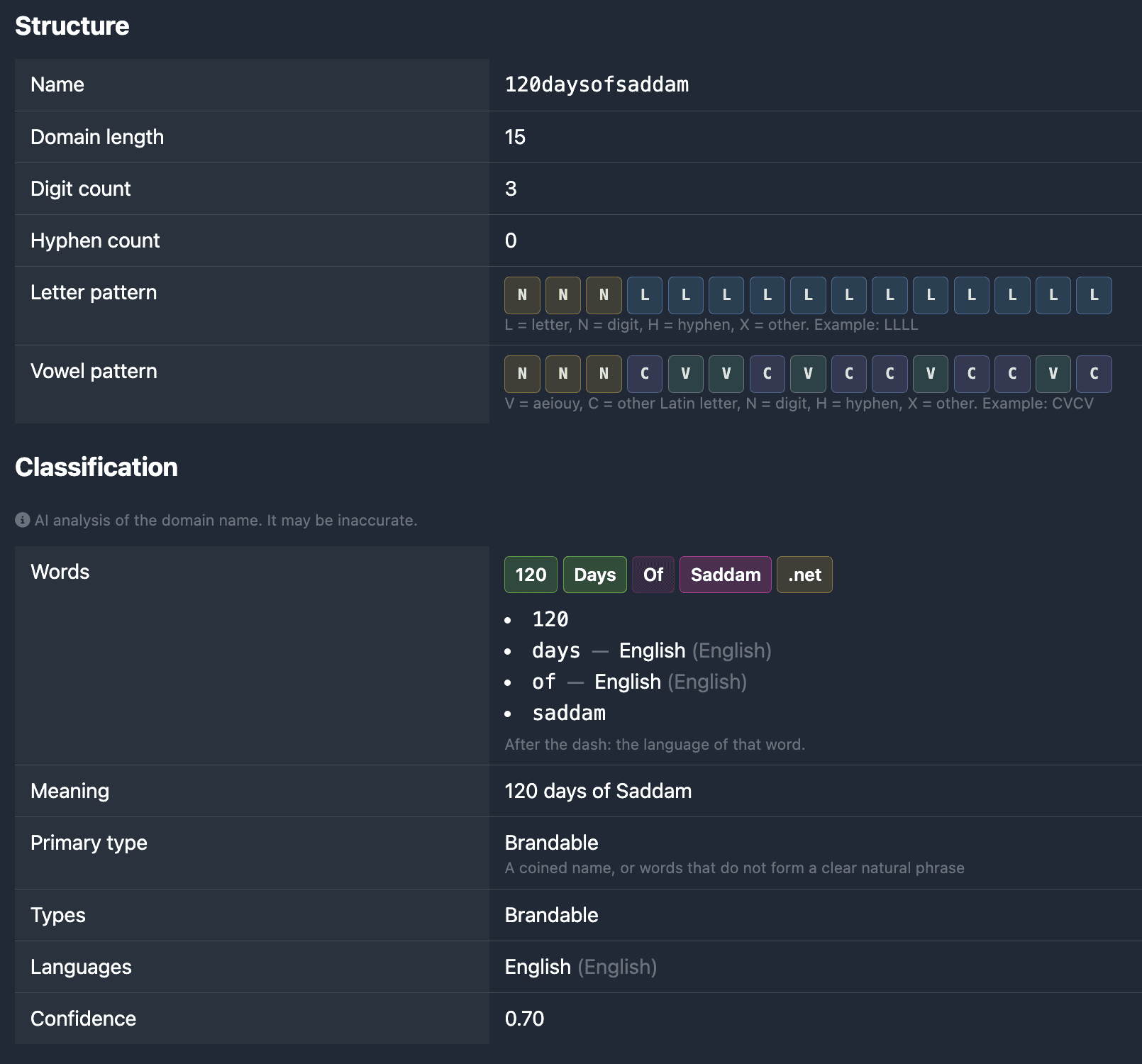
In the report card the same breakdown is on the Domain name tab.
Structure measures the name without a model: length, the number of digits and hyphens, and the letter and vowel patterns. Each pattern symbol is its own badge; hover it to see what it means.
Classification assembles the name from the words: each word in its own colored block, with a capital letter, and the zone beside them. Below that are the meaning, the type, the languages, and the overall confidence. Under the heading a note says the breakdown was made by AI and may be wrong.
The MCP server now supports OAuth: ChatGPT, Claude.ai, and other OAuth-capable clients open a sign-in on karma.domains — you approve access on the consent page, with no need to paste a key by hand.
A Pro plan or higher is required. After sign-in, the assistant works with your account: auction and expired search, favorites, filters, annotations, share links, and SEO enrich — the same 31 tools as before.
How to connect
ChatGPT / Claude.ai — add the MCP URL https://mcp.karma.domains/mcp, choose OAuth (or Sign in), and finish browser login.
Cursor, VS Code, and other IDEs — still use a Bearer API key from Profile → Settings. OAuth and the key work side by side; x402 for agents is unchanged.
Client instructions are on the MCP landing page. If MCP was already connected with a key, you do not have to change anything: OAuth is an extra way to sign in.
Public API and MCP 2.4: filters, annotations, share, and SEO enrich
The Public API and MCP server now support the full report workflow — what used to be web-app only. One Bearer key from Profile → Settings; the 60 requests per minute limit is shared by REST and MCP.
MCP now has 31 tools (was 21). A new Report workflow group — REST endpoints are grouped the same way: Reports, Account, Report workflow, Live checkers.
Saved filters
Save a search filter set by name and call it from a script or chat.
Send a report to a colleague or client without account access.
REST:POST /v1/reports/share → share_url in the response
MCP:create_share_link
The request body uses report_type and report_id from search or the full report.
SEO enrich via API
Loading missing SEO metrics is now available programmatically — outside the system queue, like on the report page.
REST:POST /v1/reports/{report_type}/{report_id}/enrich-seo (202 + job_id), then GET /v1/reports/enrich-jobs/{job_id} until status done
MCP:enrich_report_seo, get_enrich_report_seo_job
If MCP is already connected
You do not need to change the URL or key. The client caches the tool list for the session — open a new chat or restart Cursor / Claude / ChatGPT. New REST routes are available immediately.
Details, curl examples, and field schemas are on the updated API and MCP landing pages; the full schema is in Swagger UI.
Incomplete reports: load missing SEO metrics with credits
In the report card you can now load missing SEO metrics that are not yet in the summary — outside the shared system queue, using credits.
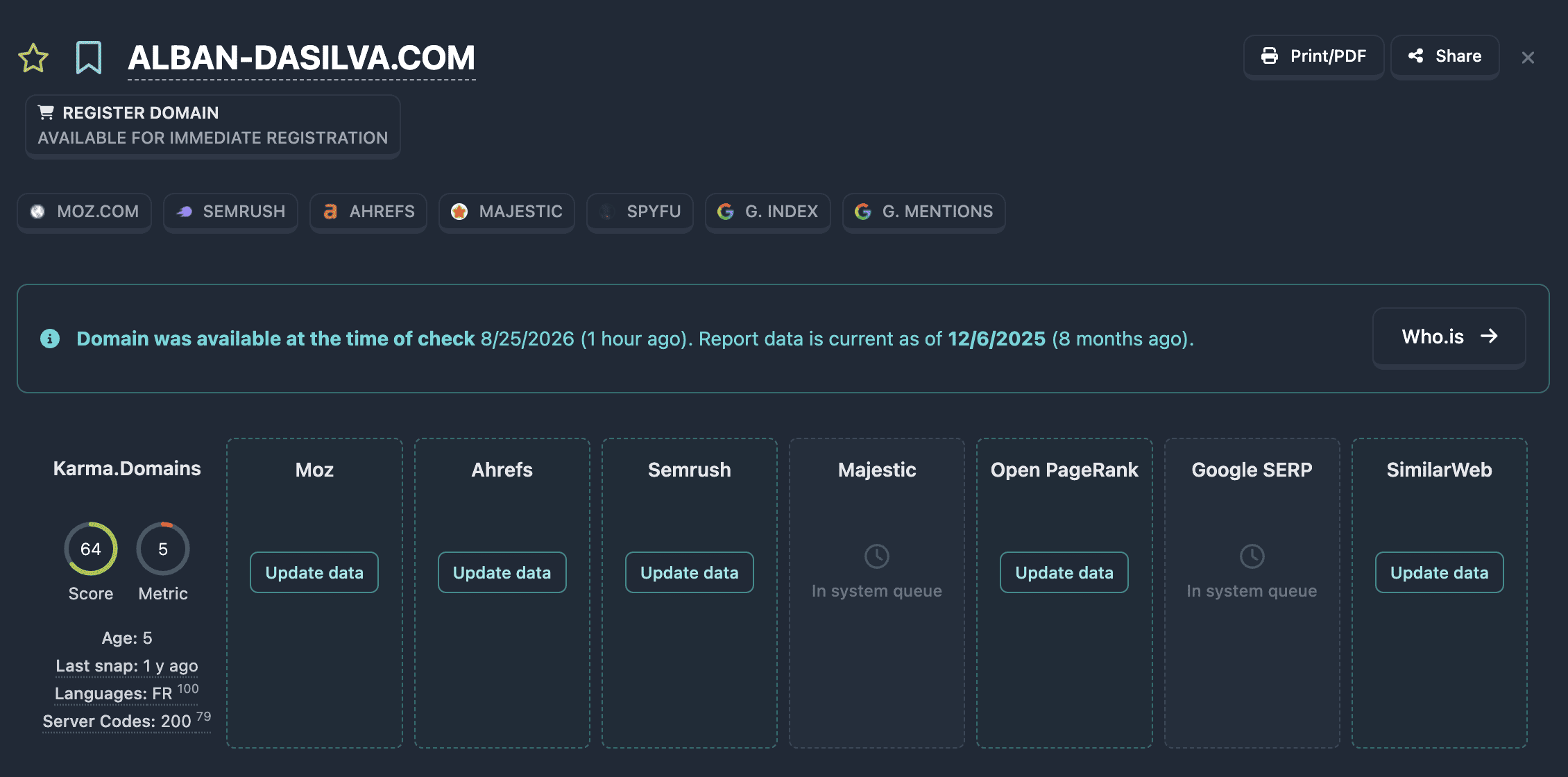
If a service still has no data, the Summary block shows an “Update data” button. One request can fetch the missing Ahrefs, Moz, Semrush, SimilarWeb, Keywords Everywhere, Brand Score, and Open PageRank metrics.
The feature is available on Pro and Unlimited plans for a full (non-demo) report. The cost is shown in the confirmation dialog (⚡). While loading runs, a waiting indicator is displayed on screen.
Majestic and Google are still processed only in the system queue: for them the summary keeps the clock icon and the “In system queue” status.
Live domain checks in the Public API and MCP
On the Pro plan, Public API and the MCP server now include live domain checks — the same tools as on the site’s free landing pages. Call them from ChatGPT, Claude, Cursor, OpenClaw, or your own code, without a form or captcha.
Still in place: report search, favorites, the “is the domain free” check (available true/false), and Karma Metric.
Billing. 1 credit from the shared balance per domain. Repeating the same check within the cache window (5 days) is not charged. The 60 requests per minute limit is shared by REST and MCP. Same key — Profile → Settings.
How to get access if MCP is already connected. You do not need to change the server URL or API key — the config in Cursor, Claude, ChatGPT, or OpenClaw stays the same. The client remembers the tool list for the session, so an old chat may not show the new tools. Open a new conversation (that is often enough). If the tools still do not appear, restart the client or turn the Karma.Domains server off and on in MCP settings. For REST, the new GET /v1/domains/checker/… endpoints are available immediately; no new key is required.
Karma.Domains adds two free tools for quick site research, and new marketplace sources in the auctions database. No sign-up needed for the tools — open a page, run a check, and get results you can export or compare side by side.
Website Page Counter — paste a site or sitemap URL and get a free count of pages declared in XML sitemaps (including nested indexes). Review the sitemap tree, browse folders, and export CSV lists (full URLs or lastmod month groups). Up to 5,000 pages per run, 10 domains per day.
Website Traffic Checker — paste up to 10 hosts and compare traffic estimates from SimilarWeb and Semrush in one table: visits, engagement, device mix, channels, and top countries. Useful for competitor screening before a deeper domain report. Up to 10 domains per day, no account required.
New sources are now available next to other marketplaces — with price, end time, and SEO metrics in one list:
Filters and reports: Semrush metrics (AS, backlinks, traffic)
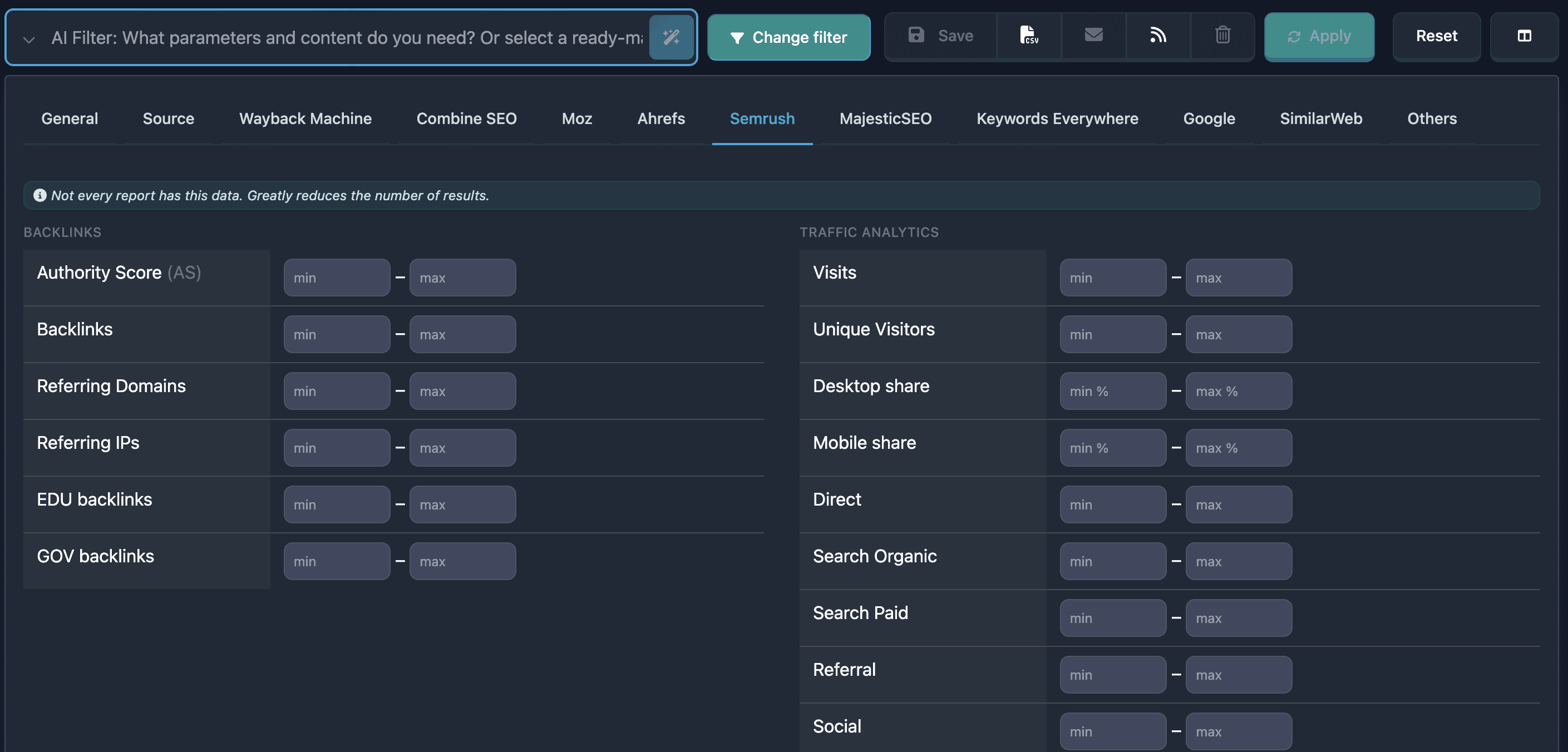
Base filters now include a Semrush tab with two panels: Backlinks — Authority Score (AS) (0–100), backlinks, referring domains and IPs, plus EDU/GOV links — and Traffic Analytics — visits, unique visitors, desktop/mobile share, and channel volumes (Direct, Search Organic/Paid, Referral, Social, Mail). The same Semrush signals are available in the Combined SEO filter (AS, backlinks, referring domains, and visits alongside other providers).
Each domain report includes a Semrush tab with the full backlink block and Traffic Analytics summary (KPIs, month-over-month changes, and traffic sources). List tables offer AS, BL, RD, and traffic columns for sorting and quick comparison. The AI filter also understands Semrush when you name the vendor or ask for AS in natural language.
The free Domain Authority Checker now returns Semrush data as well: Authority Score (AS), backlinks, and referring domains — up to 10 domains per run, no sign-up required — so you can screen candidates side by side with Ahrefs, Moz, Open PageRank, and Karma Domain Metric.
Include and exclude categories in main filters
The Categories block in the main filters has been updated. You can now filter domains by topic not only through inclusion, but also by excluding unwanted niches — or combine both lists in a single search.
Select a category in the dropdown and click Include or Exclude. Selected values appear as badges in the Included and Excluded sections; Clear All resets both lists. Below the buttons — quick presets: one click adds a ready-made set of categories to your current selection, without duplicates.
No pharma / casino / adult — excludes gambling, adult, and pseudo-health
No toxic niches (incl. crypto) — excludes crypto, scams, extremism, and other high-risk categories
Add local business — includes restaurants, shops, home services, and related topics
The category catalog is now flat — no subcategories. The filter is available to all users and in all table types.
Affiliate Program: 50% Lifetime Commission and a 100-Day Cookie
We've launched the SEO affiliate program — now you can monetize your audience by recommending the ultimate domain analysis tool.
A 50% commission on every referral for life, plus one of the longest cookie lifetimes on the market — 100 days, so you're guaranteed to get credited for the users you bring in.
The PRO plan now includes four features that help you track domains, share analytics, and never miss auction deadlines — right from the report.
Report notes and tags — personal notes for a report (up to 200 characters) and up to 10 tags per domain. Bookmark icon in the header next to the favorites star; marks are visible only to you, shown in the domain table, and filterable in search (With notes, Report tags). In the print version, tags and text appear on the title page.
Print/PDF — full print-ready report in A4 format: summary, metrics, Wayback, and all other data blocks. Save as PDF via the browser print dialog. Available for any full report from databases and Checker.
Share report — personal link to the full report for a colleague or partner without a Karma.Domains account. The link is valid for 60 days; the recipient sees all tabs and metrics. For reports from Auctions, Expired, Backorder, and Buy Now.
Calendar reminder — 1 hour before the end of bidding or listing: an event with links to the lot and report. Google Calendar, Apple, Outlook, Yahoo, .ics file, QR code, and Share. Calendar button for each active lot in the report.
All features are already available to Pro subscribers in the app interface.
Two New Free Domain Screening Tools
Karma.Domains now offers two free tools for quick domain screening before purchase or registration. No sign-up needed: paste your domain list — up to 10 per run — and get a results table with color-coded metrics, just like reports inside the service.
Domain Authority Checker — a free bulk checker for DA, DR, backlinks, spam score, and Karma Domain Metric (KDM). Compare backlink profiles and Wayback archive history for multiple candidates side by side before diving into a full report.
Domain Age Checker — a dedicated domain age checker powered by Wayback Machine data: age in years, first and last snapshot dates, capture count, and an activity sparkline. Helps filter out "fresh" domains and focus on sites with an established history.
New sources in the Buy Now section
The Buy Now section now includes new marketplaces with fixed-price domains — no bidding or auctions. You see the price upfront, and from Karma.Domains you can go straight to the seller's listing page.
New sources:
Dynadot (Buy Now) — user listings on the Dynadot marketplace
Sedo (Buy Now) — fixed-price domains in the Sedo catalog
Nameshift (Buy Now) — buy now listings from Nameshift
Rakkodomain (Buy Now) — Japanese marketplace Rakkodomain
Efty (Buy Now) — premium domains from the Efty marketplace
Use the source filter in Buy Now to view only the marketplace you need. We will keep expanding the list of sources.
Public API and MCP Server on the Pro Plan
On the Pro plan, two ways to work with Karma.Domains outside the browser are now available:
Public API — REST API for scripts, dashboards, and CRM: search reports by filters, full reports, favorites, domain checks, and profile. One Bearer key, up to 60 requests per minute; request and response schemas — in OpenAPI.
MCP server — connect to Cursor, Claude, and other AI assistants: search domains in plain language, get a shortlist with links to reports, manage favorites, and check candidates before registration — right in chat.
Both channels use one API key from Profile → Settings; the request limit is shared for REST and MCP.
New Buy Now Section!
Meet the new Buy Now section! Here you'll find fixed-price domains: no bidding or auctions — you see the price upfront and can go straight to the seller's platform.
Sources already available:
Namecheap (Buy Now)
GNAME (Buy Now)
Namesilo (Buy Now)
SEO.domains (Buy Now)
Porkbun (Buy Now)
Alibaba Cloud (Buy Now)
Use the source filter in the Buy Now section to narrow results to the marketplace you need. More sources will be added as we connect new marketplaces.
European domains from NicSell have been added
Domains from the NicSell marketplace (nicsell.com) are now included in Karma.Domains auctions: dropcatch and expiring-domain auctions, including auction formats NicSell is known for. In the app you can filter by the nicsell source to see only these lots next to other marketplaces.
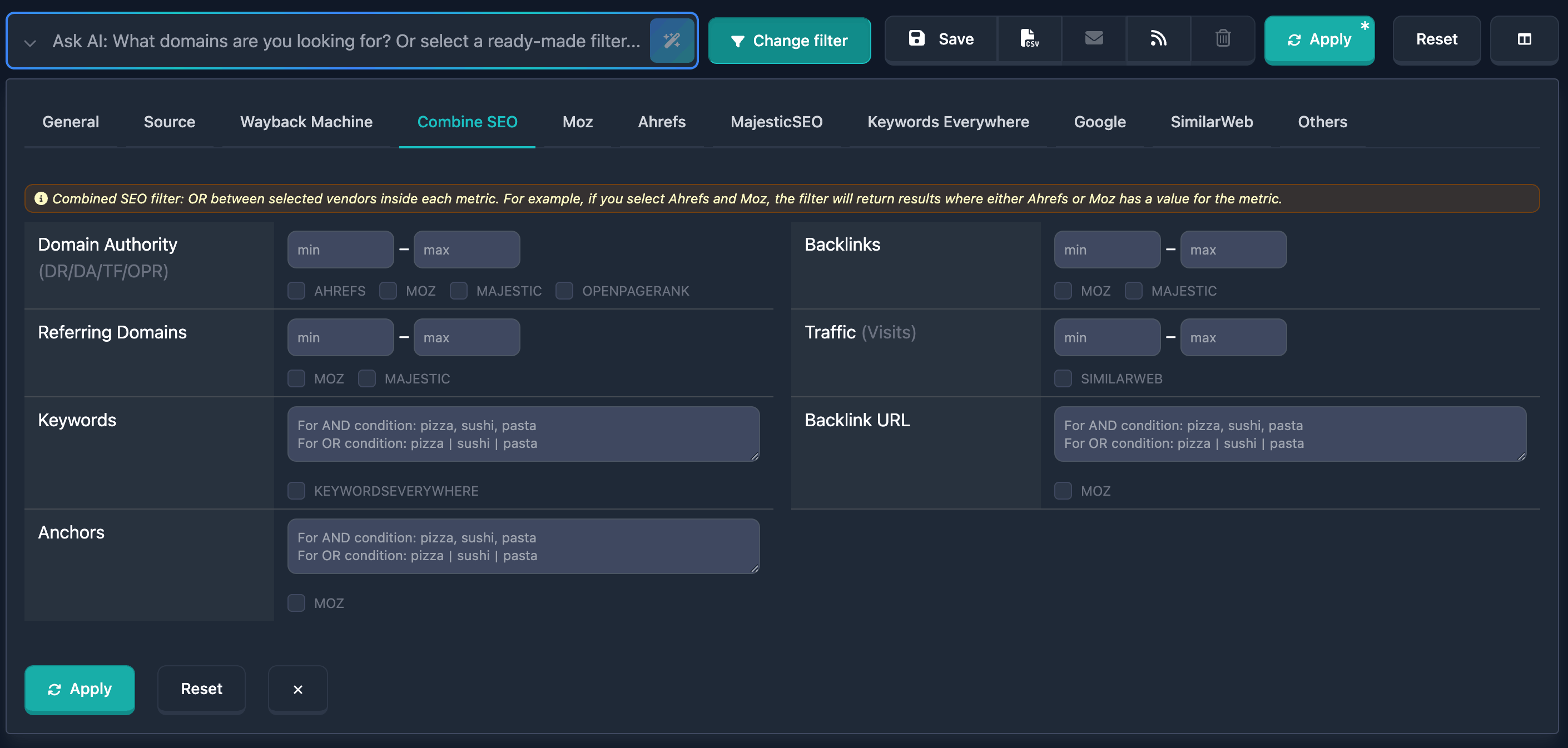
A combined SEO filter is now available in report filters. You can set ranges for key SEO metrics (DR, DA, TF, OPR, Backlinks, Referring Domains, Traffic) in one block, add text conditions for Keywords, Backlink URL, and Anchors, and choose the required data sources.
Filters and reports: Ahrefs metrics (DR, UR, AR)
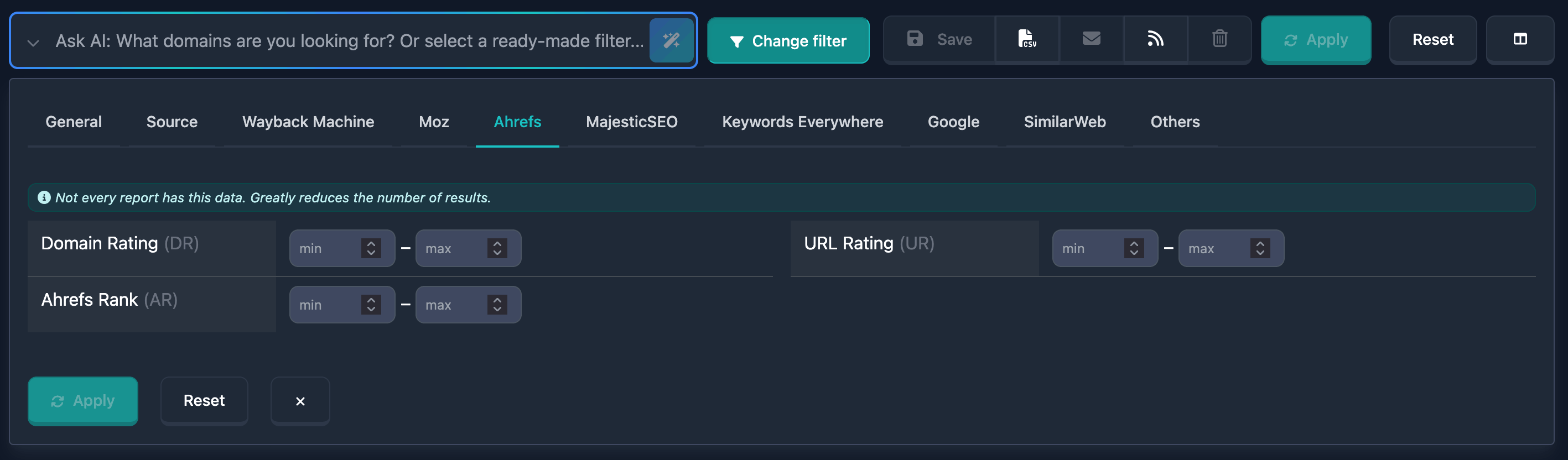
Base filters now include an Ahrefs tab: you can set ranges for Domain Rating (DR) and URL Rating (UR) (0–100), plus Ahrefs Rank (AR)—the domain’s global rank (a lower number means a stronger site).
Each domain report includes an Ahrefs block with the same metrics; list tables offer DR and UR columns for sorting and quick comparison. The same parameters are honored by the AI filter when you describe your criteria in natural language.
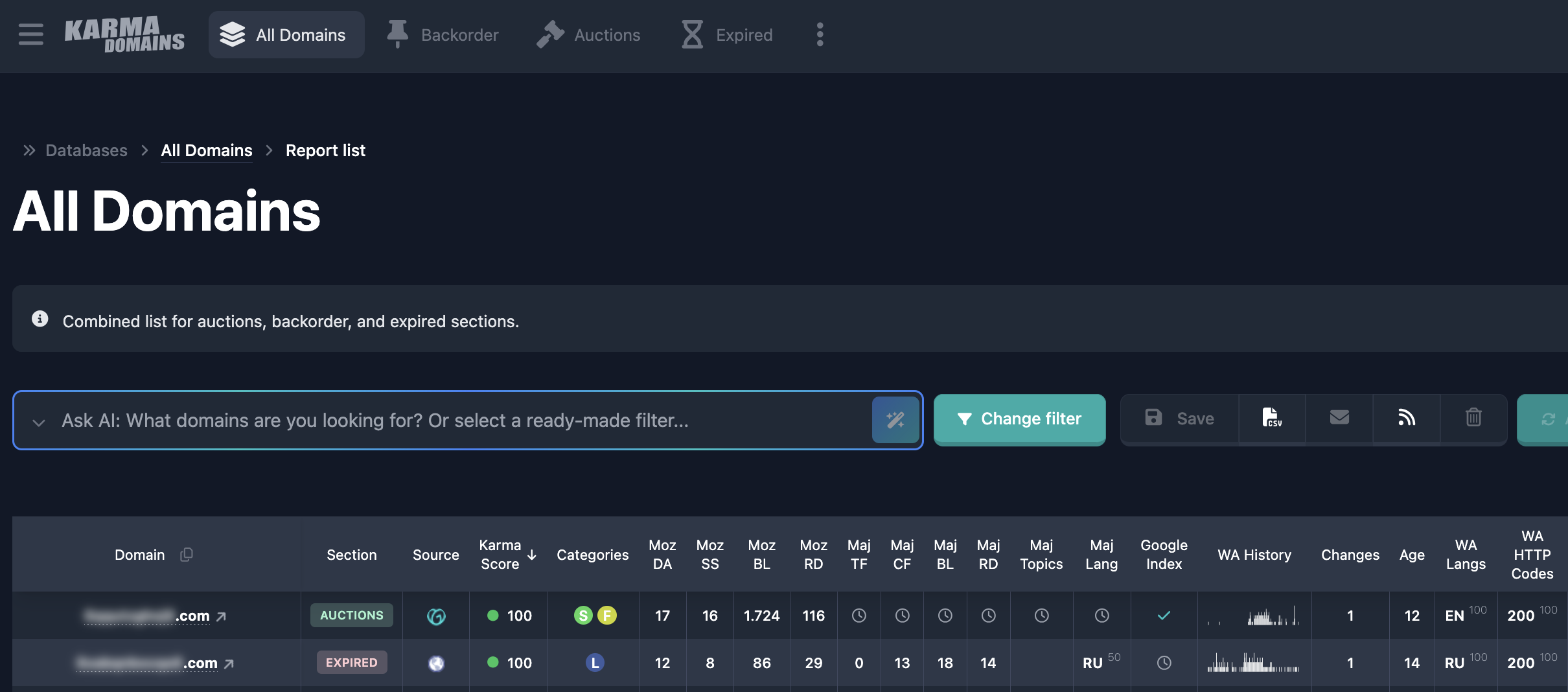
New “All domains” section
Previously in Karma.Domains you could only search domains within each section separately. If you wanted auctions, you searched under “Auctions”; if you wanted expired names, under “Expired.” When it did not matter which pool to use, you still had to switch between sections and run separate searches.
There is now an “All domains” section where a single query covers every domain type: auctions, expired domains, and backorders.
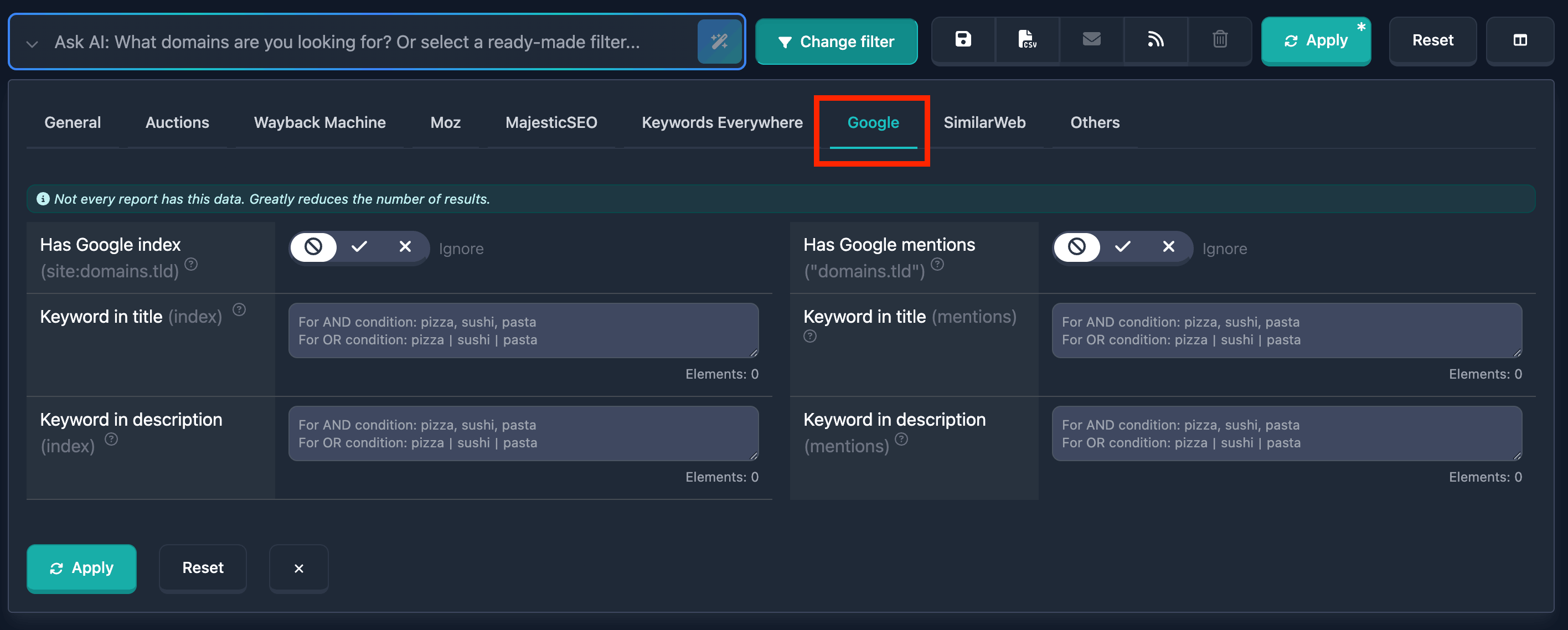
New Google filters: index and mentions
We've added Google-related filters so you can narrow down domains by how they appear in Google.
Index (site:domain) — find domains that have pages in Google’s index. Use keyword filters to search inside the title or description of the snippet.
Mentions ("domain.tld") — find domains that are mentioned on other sites; you can filter by keywords in the snippet title or description.
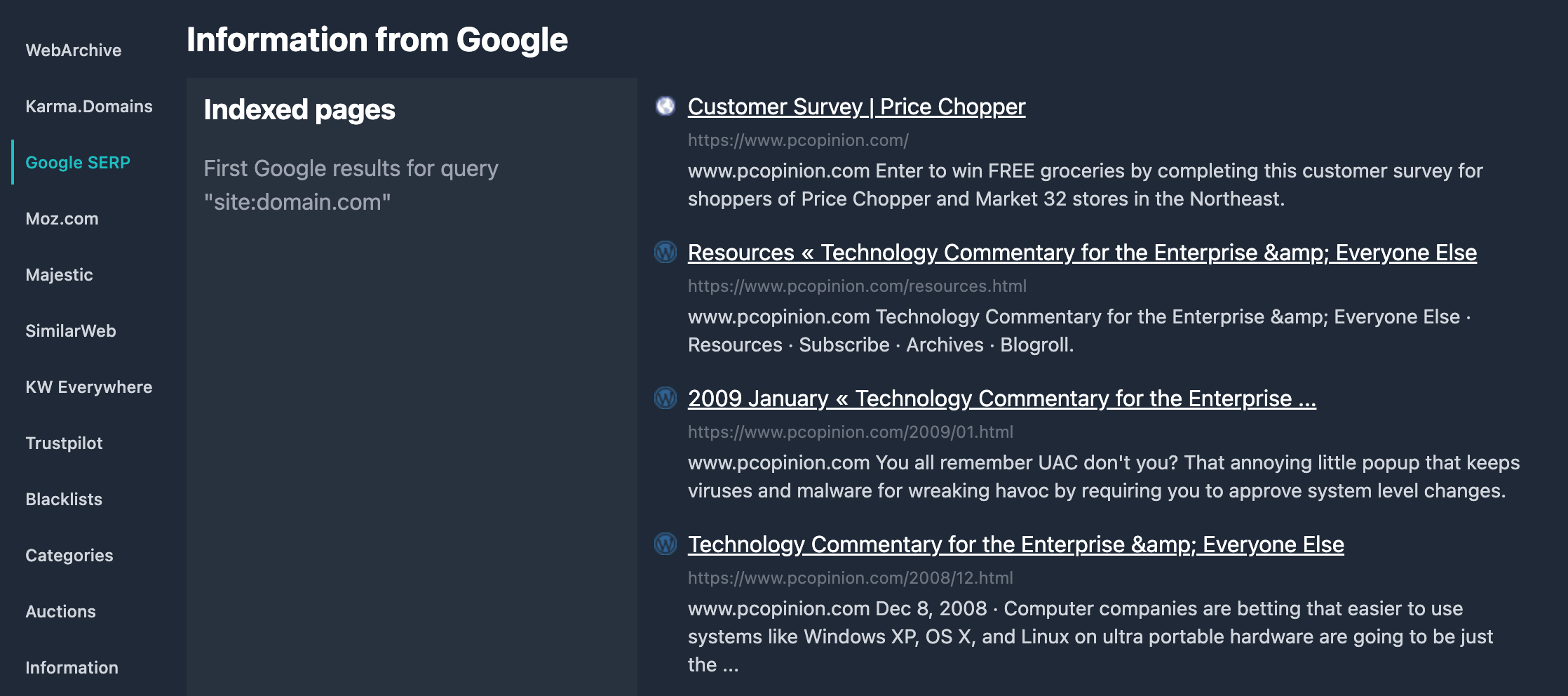
Google search results for the domain (both index and mentions) are also shown in each domain report. You see the snippets—titles and descriptions—and can open the full search in Google with one click.
All Google filters are available in the report filters. Use them to find domains by presence in Google or by how they’re mentioned across the web.
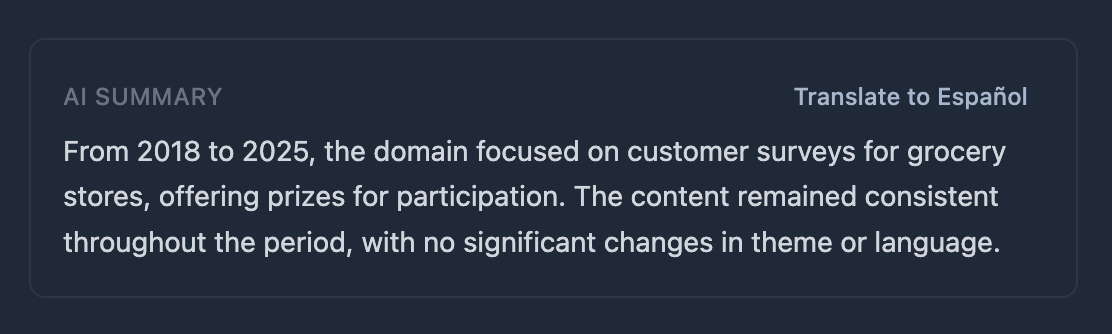
Translate AI domain summary to browser language
In the AI Summary block in domain reports, you can now translate the English description to your browser language. Just click the «Translate to [language]» button next to the heading — the text will be translated, and you can restore the original with the «Original» button if needed.
For any domain report with a filled AI description, when the browser language is not English, a translation button is shown. Chrome uses the built-in Translation API (on-device translation); other browsers use a free translation service with no data sent to our servers.
GNAME Auction Domains Now Available!
Domains from the GNAME marketplace are now available in the auctions section. The database includes lots from the GNAME auction, plus a dedicated source filter to search for GNAME domains only.
GNAME domains in the auctions section are lots from the Chinese marketplace GNAME (gname.com). GNAME auctions let you bid on premium domains and attractive lots in one place alongside other sources on Karma.
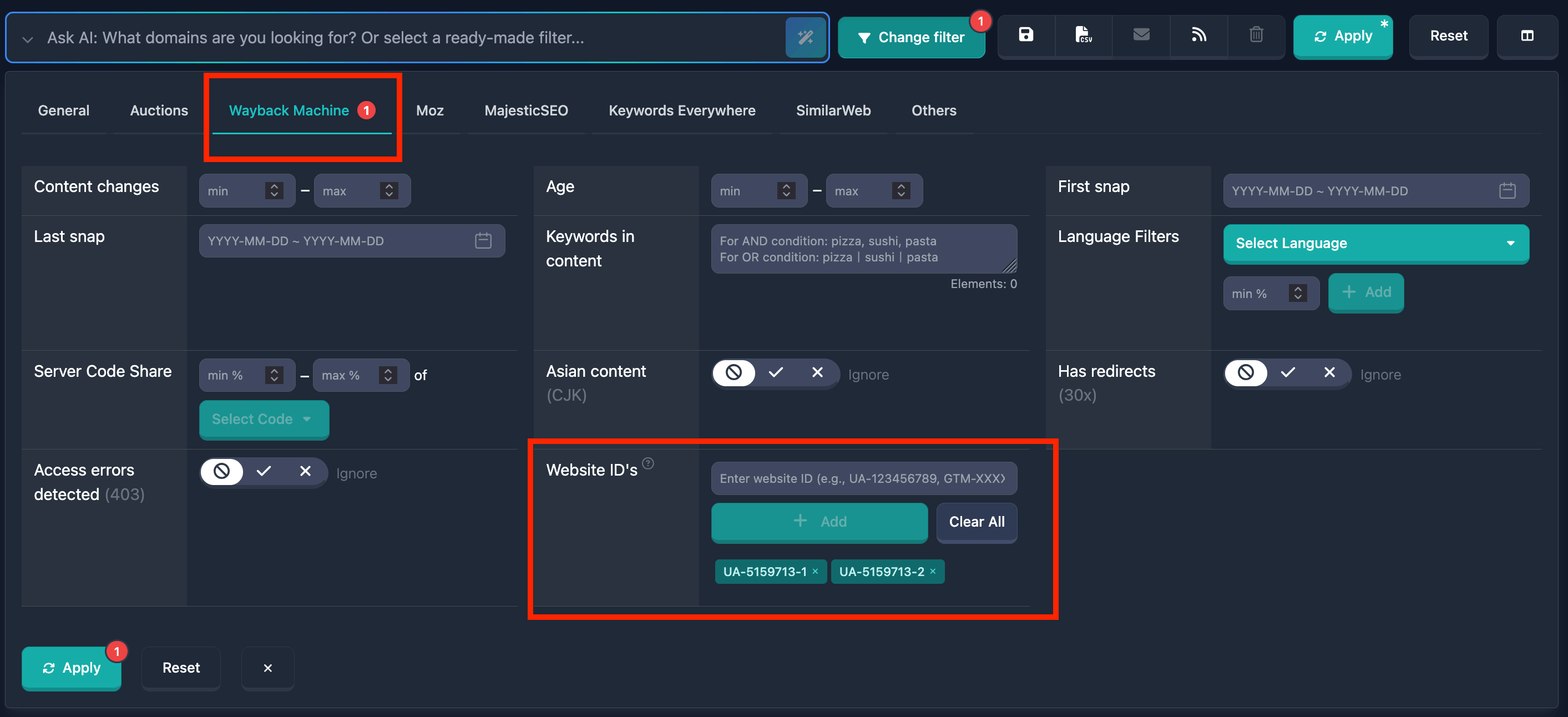
Search domains by analytics and widget service IDs
We've added the Website IDs filter in the "Wayback Machine" section, which allows you to find domains owned by the same owner using identifiers from various services.
The system automatically detects IDs from more than 50 services, including Google Analytics (UA-XXXXX, G-XXXXX), Google Tag Manager (GTM-XXXXX), Google Ads, Facebook Pixel, advertising platforms, and other analytics tools.
The filter supports OR logic search — you can specify multiple IDs, and the system will find all domains using any of them. This is especially useful for researching domain portfolios and finding related sites.
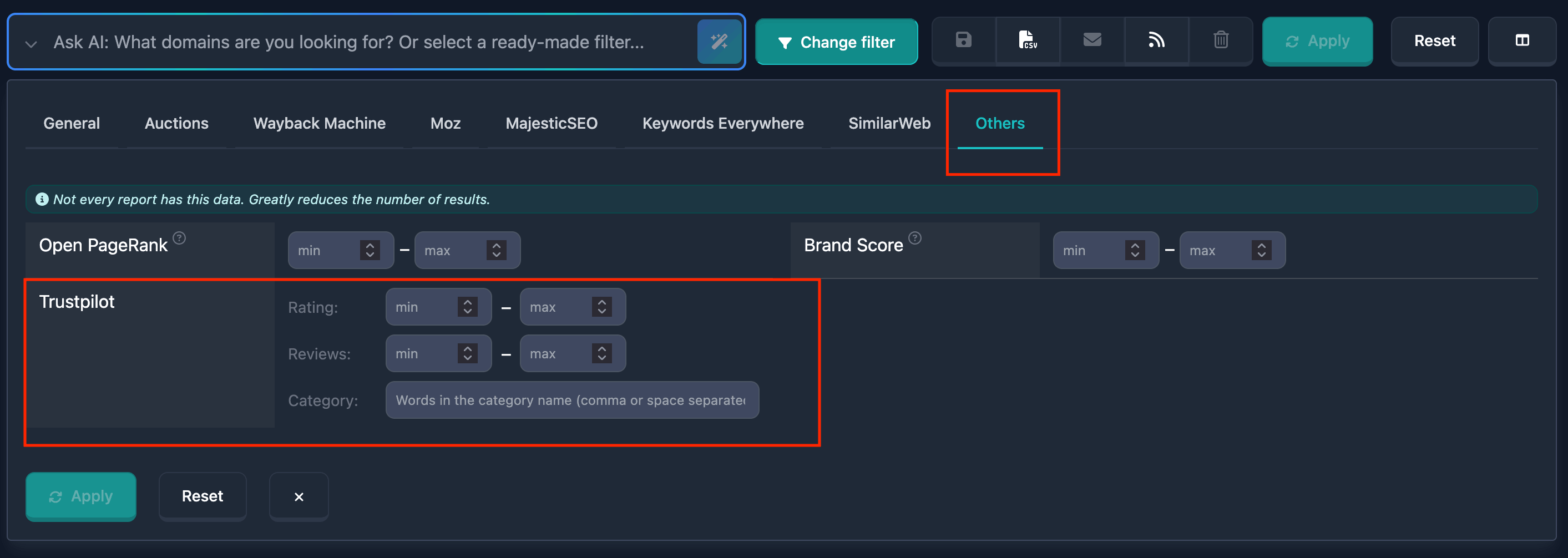
Trustpilot Data Integration
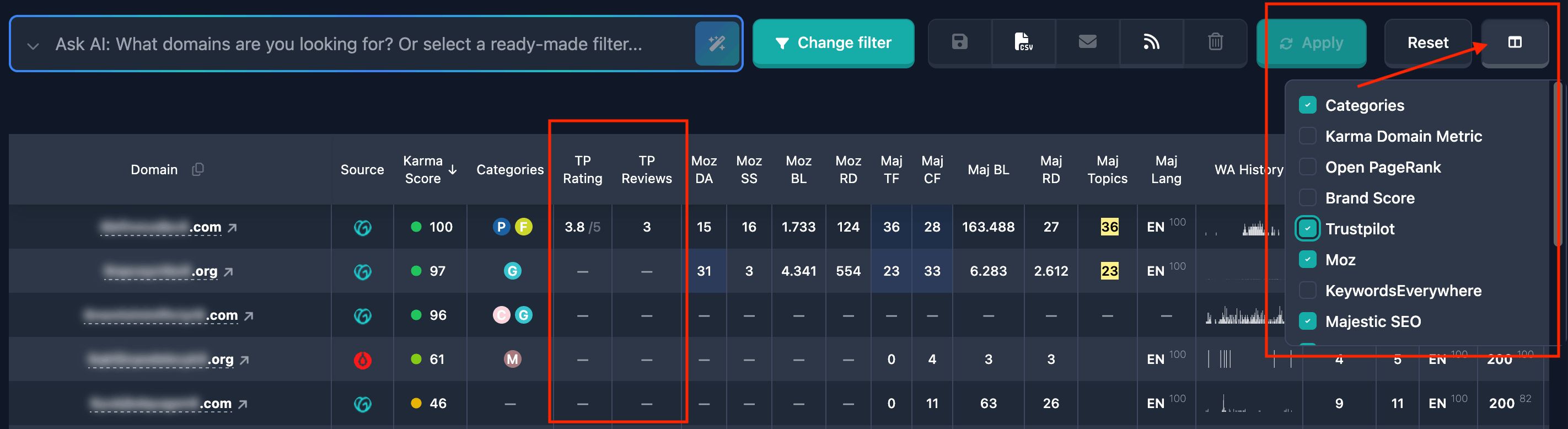
We've added Trustpilot data integration to the Karma.Domains platform. You can now filter domains by rating (0-5), number of reviews, and Trustpilot categories.
The data is displayed in the reports table and on a separate tab in the detailed view of each domain.
Filters are also supported by the AI filter for automatically finding domains with good reputation.
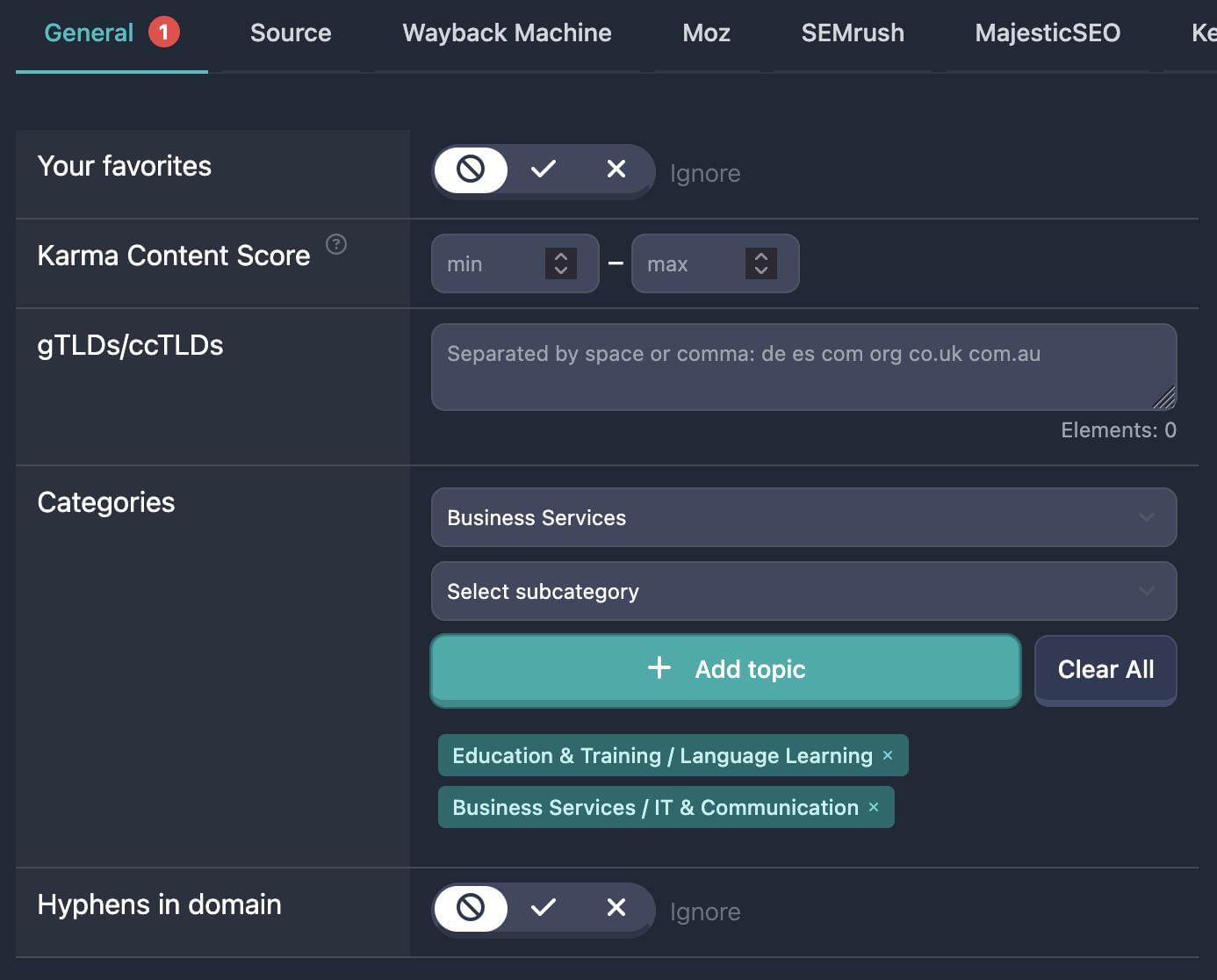
Filter by categories and subcategories
Previously we gathered categories from various third-party services (SimilarWeb, Trustpilot, MyWOT, etc.) and showed them in domain reports, which made it hard to build a universal filter by categories and subcategories.
Now we have our own AI categorizer that determines categories based on domain history and content, so it is time for a proper filter.
And we built it :)
Select one or more categories and subcategories, hit "Apply" — and all domains will be filtered by your selections.
AI-generated domain history summary and categorization
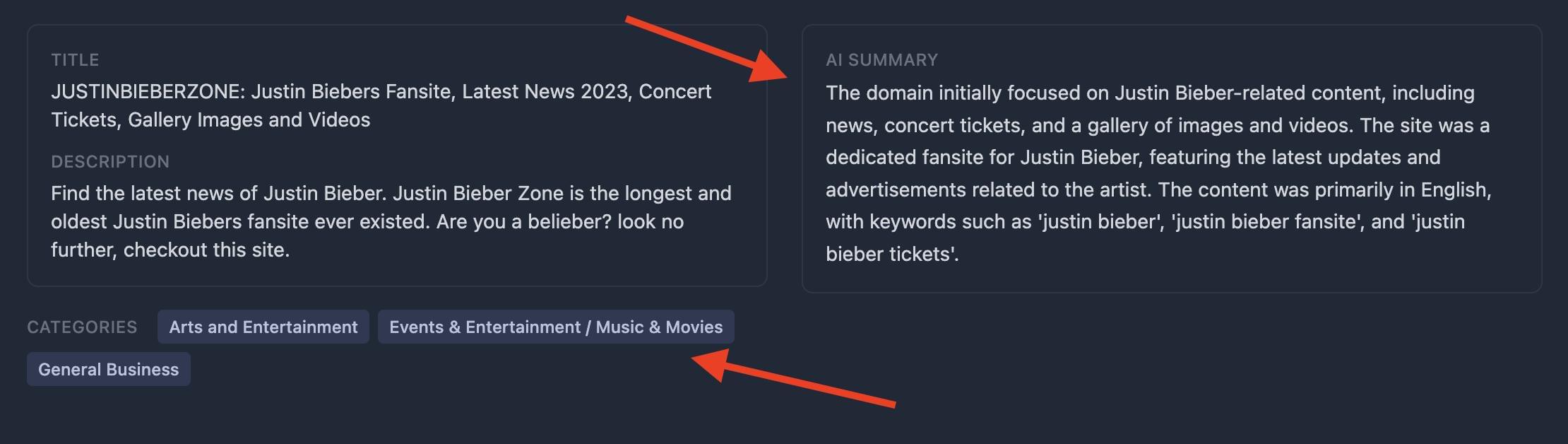
Now when you open any domain report, you immediately see an AI-generated concise overview of its entire history—what sites were hosted, how the domain was used, and when and how often its profile changed.
AI also assigns the most relevant category for the domain (for example, “news,” “technology,” “education,” and more). This helps you quickly see whether the domain fits your goals without spending time on manual analysis of its history and topic. Perfect for quickly filtering quality domains in the right category!
New Backorders Section!
Meet the new Backorders section! Now you have the opportunity to select a domain that interests you and pre-order it before the public auction begins.
🍪 We use cookies to improve the site and its interaction with users