- Link to Web.Archive.org
- Archive summary and calendar
- Warning for large snapshot counts
- Karma Score over time chart
- Snapshot history (accordion)
- Filtering by Wayback Machine data in search
- Summary
The Web Archive (Wayback Machine) tab in the domain report shows the history of saved site snapshots in the Internet Archive: when the domain first appeared, when the last snapshot was taken, total snapshot count, and how content and server responses changed over time. It also shows Karma Content Score per snapshot and detailed information when an item is expanded.
Link to Web.Archive.org
Under the tab heading, short text explains that data comes from the Internet Archive, with a Web.Archive.org link. Clicking opens the archive page for this domain (https://web.archive.org/web/*/domain pattern) in a new tab. In demo mode the link may be inactive.
Archive summary and calendar
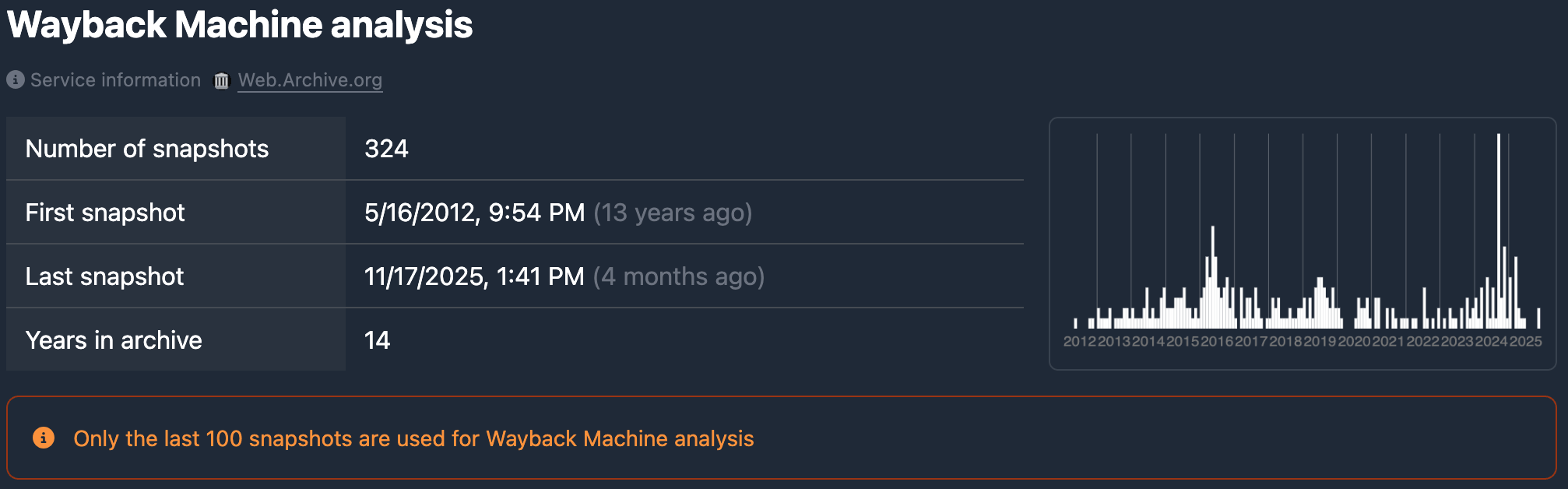
One block contains summary figures and a snapshot calendar.
Summary figures
Four values are shown:
- Snapshot count — total saved snapshots of the domain in the archive.
- First snapshot — date and time of the earliest snapshot (with relative time, e.g. “5 years ago”).
- Last snapshot — date and time of the latest snapshot (also with relative time).
- Age in archive — how many years the domain has been in the archive (from first to last snapshot).
All dates use the local format and the selected interface language.
Snapshot calendar
To the right of the summary is a calendar (heatmap): years and months on the axes; color intensity shows how many snapshots exist in that month. You can quickly see active periods in the archive and empty years or months.
Warning for large snapshot counts
If there are more than 100 snapshots, an orange warning appears under the summary and calendar: not the full list is shown, only a sample. This speeds up loading. For the full timeline by date, use Web.Archive.org via the link above.
Karma Score over time chart
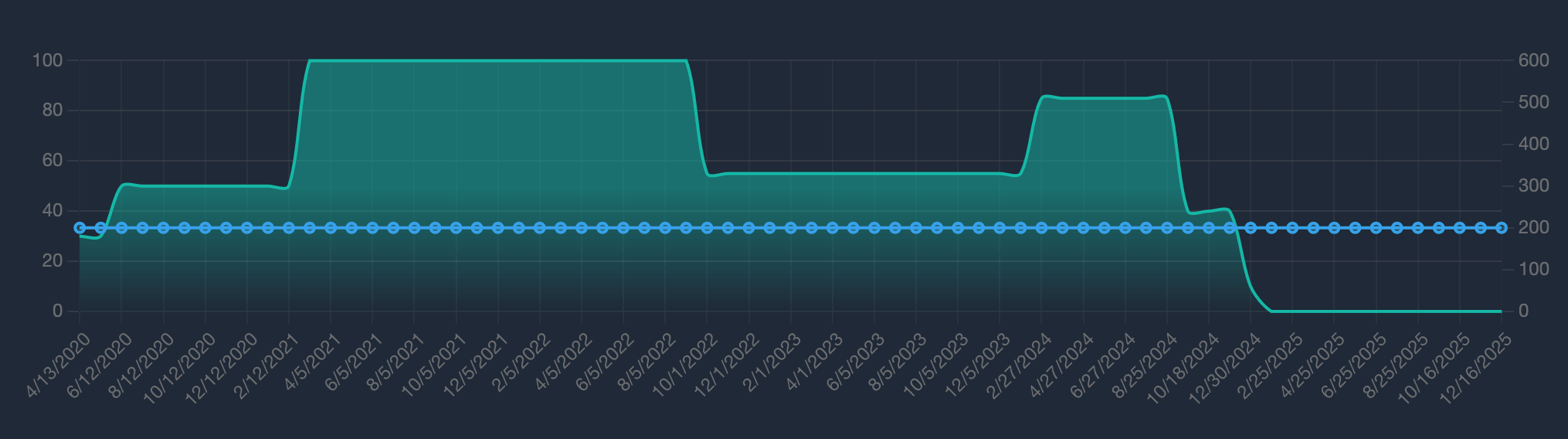
Below the calendar is a chart: snapshot dates on the horizontal axis, values on the vertical axis. Typically shown:
- Karma Content Score (content quality per snapshot) over time.
- HTTP response status per snapshot.
The chart helps you see how content quality and site availability (success responses, redirects, 4xx/5xx errors) evolved across the archived period.
Snapshot history (accordion)
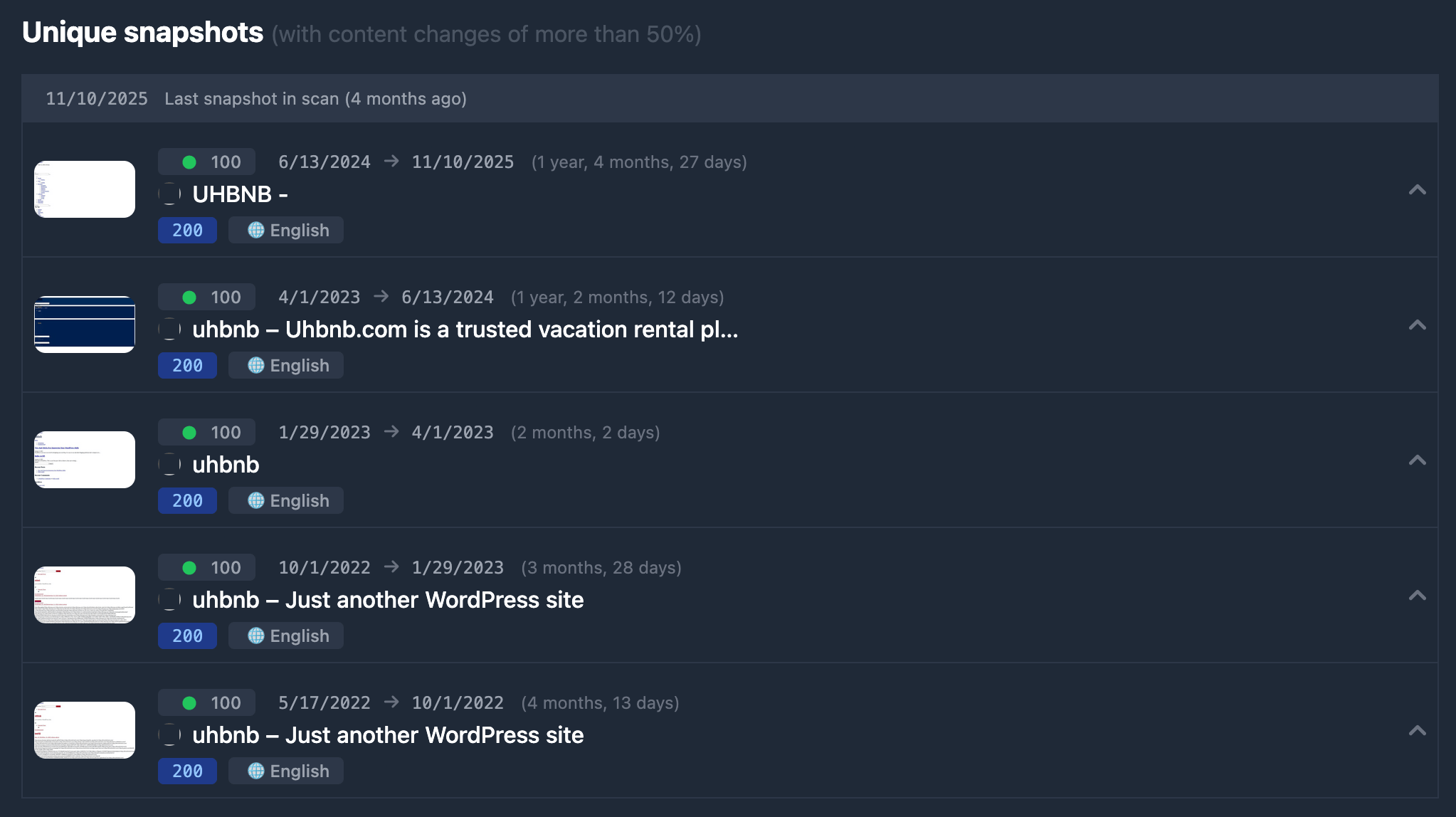
The “Snapshot history” heading includes a note that the list is ordered from oldest to newest. Each row is one snapshot; clicking expands details.
Unavailable snapshots
If a snapshot has no Web Archive link (data not loaded or snapshot unavailable), the row is inactive: grey bar with snapshot date and a “no link” label. Such rows cannot be expanded.
Active rows (available snapshots)
For snapshots with a working link, the row is a clickable header and expands on click. Only one row is open at a time: opening another closes the previous one.
Header background color may indicate:
- Yellow tint — redirects (a chain of redirects) for this snapshot.
- Green tint — response code 4xx (client error).
- Red tint — response code 5xx (server error).
- Default (blue/neutral) — 2xx success and no redirects.
The header shows:
- Thumbnail — page screenshot for the snapshot or placeholder “No screenshot”. In demo mode a stub image may appear instead.
- Karma Score — 0–100 score with a color indicator (low / medium / high).
- Dates — current snapshot date, arrow →, previous (older) snapshot date, and in parentheses elapsed time between them (e.g. “1 year, 3 months, 5 days”). For the very first row, the “previous” date is the domain’s first appearance in the archive.
- Page title — snapshot
<title>or “(no data)”; with redirects — code and target URL. - Description — meta description if present (may be truncated).
- Badges:
- Status code — 200, 301, 404, 500, etc. (color by type: success / redirect / 4xx / 5xx).
- Language — globe icon and content language name.
- Content tags — Gambling, Porno, Crypto, Betting, Commerce, Pharma, Dating, Religion, Politic, Forex, Parking Page, Under Construction, Placeholder, Coming Soon — when detected by analysis.
Expanded row content
After clicking an active row, blocks appear below the header when data exists:
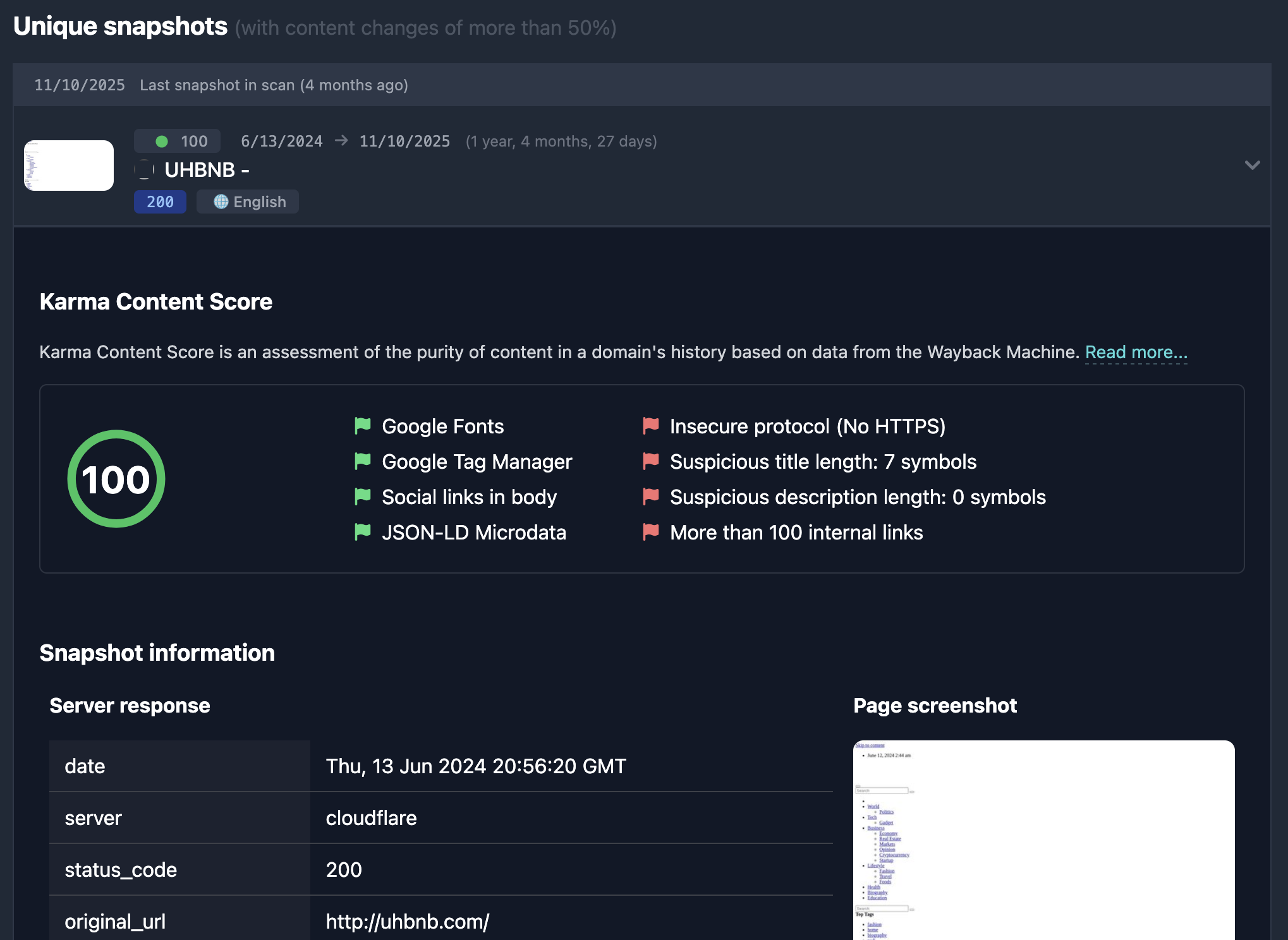
Karma Content Score — circular gauge 0–100 and lists of detected patterns: positive (green flags) and negative (red flags). Short explanation of how the score is computed.
Snapshot info — block title “Snapshot info” (or localized). Left: main response fields (date, server, status_code, original_url). Right: screenshot (or placeholder) and “Open in Web Archive”; click opens that snapshot on Web.Archive.org. In demo, the screenshot may be a stub.
Redirects — if a redirect chain was recorded, URLs are listed in order. Infinite redirect loops show a separate note (e.g. “Infinite redirects”).
Content info — language, hreflang, canonical, meta robots, title, description, author, copyright, generator, keywords, h1–h6 headings, character/word counts, word cloud, external and internal links (lists; copy behavior in demo follows product rules).
Website IDs — site identifiers in third-party services (e.g. Google, Yandex): service name, site link, and ID list (click to copy).
Built With — technologies detected on the page (CMS, counters, widgets, etc.) with icons and service links.
Filtering by Wayback Machine data in search
Parameters related to the archive and history quality (Karma Score, age in archive, languages, HTTP codes, redirects, keywords in snapshot content, Website ID, etc.) can be set when selecting domains in database tables — in the Wayback Machine filter block. Field details and examples are in Wayback Machine filters.
Summary
- The Web Archive tab shows archive summary (snapshot count, first/last date, age), a monthly snapshot calendar, and charts for Karma Score and response codes.
- Snapshot history — list oldest to newest; each expandable row shows Karma Score, response headers, screenshot and Web Archive link, redirects, content, Website IDs, Built With.
- Auction or Domain dropped blocks may appear between snapshots when such events occurred in the gap between them.
- For archive and snapshot conditions in search, see Wayback Machine filters.