- Heading and archive link
- Karma Content Score Summary
- Karma Domain Metric
- Karma Brand Score
- Filtering by Karma metrics in search
- In short
The Karma.Domains tab in the domain report combines Karma.Domains metrics: Karma Content Score summary (content quality from the archive), Karma Domain Metric (holistic domain score from history), and Karma Brand Score (brand fit of the domain name). All are based on Wayback Machine data and domain history.
If there is no data (e.g. no archive), metric blocks are not shown.
Heading and archive link
At the top is the Karma.Domains heading and short text that data comes from the web archive, with a Web.Archive.org link. It opens the archive page for this domain in a new tab. In demo mode the link may be inactive.
Karma Content Score Summary
The Karma Content Score Summary block summarizes content quality across all Wayback snapshots for the domain.
Description
Under the block heading there is a short description of Karma Content Score and how it is calculated. More detail is in Karma Score. The text may be collapsed; click to expand.
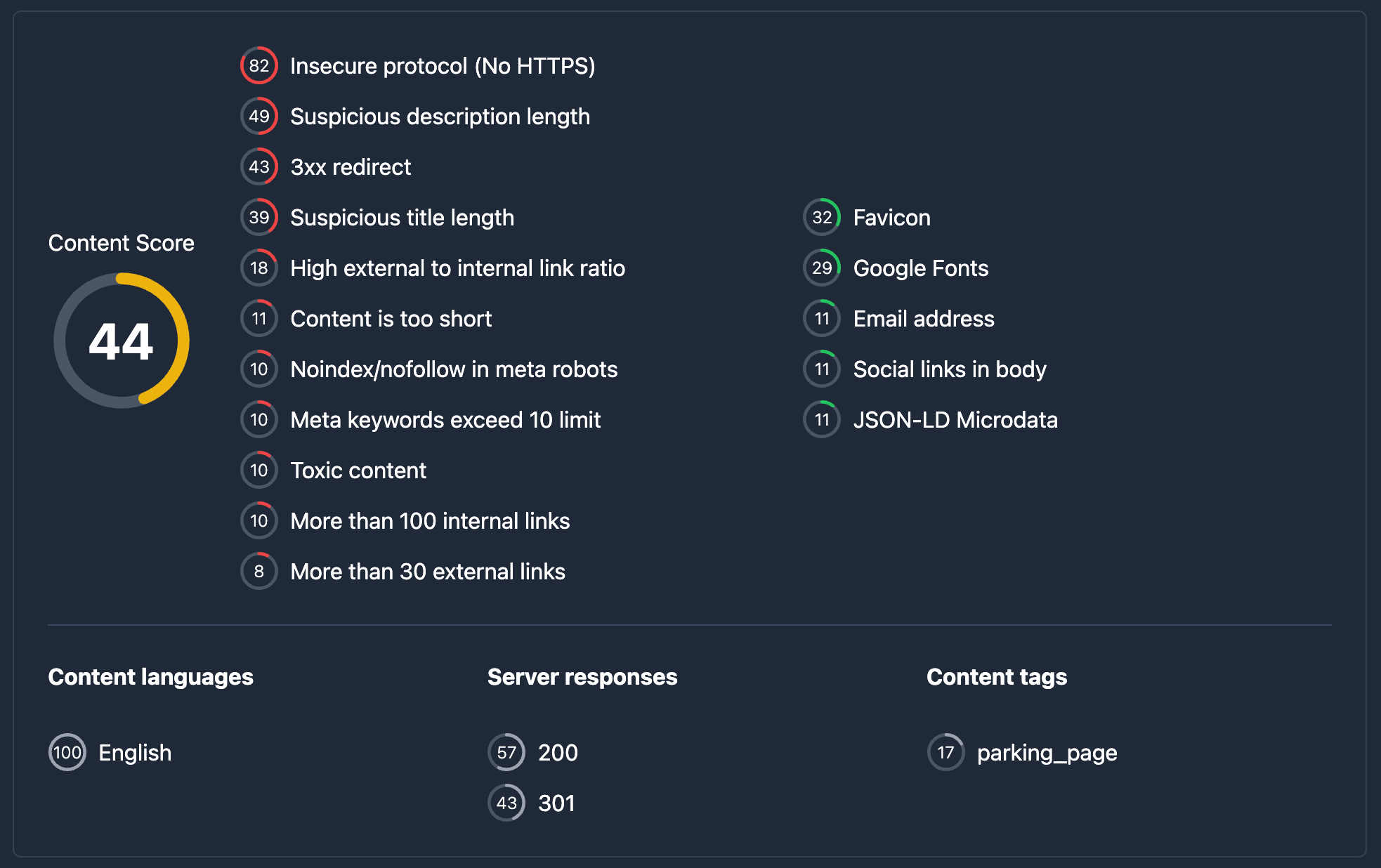
Content Score (average)
On the left, Content Score — a circular chart with the average Karma Content Score across snapshots (0–100 scale). Circle color reflects low / medium / high level. This is the overall “content quality” of the domain from archive history.
Patterns (red and green)
Next to the main chart are two pattern lists:
- Red patterns — unwanted content signals (e.g. spam, risky topics). Each pattern shows the share of snapshots where it appears (small circle with percent) and a short description. Hovering the circle shows a tooltip for the share.
- Green patterns — positive signals (quality content, stable structure, etc.). Same format: share and description.
They show what share of the domain’s history looks “good” or “bad” from a content perspective.
Languages, response codes, and tags
Below a divider, three groups:
- Languages — content languages across snapshots. For each: small circle with page share (%) and language name. Hover tooltip for share.
- Server response codes — HTTP codes (200, 301, 404, etc.) across snapshots. For each code: circle with share and label.
- Tags — topical tags from content (Gambling, Commerce, Placeholder, etc.). For each tag: circle with share of snapshots and tag name.
If a section has no data, a dash — is shown instead of the list.
Karma Domain Metric
The Karma Domain Metric block shows a holistic domain score from archive history (not only content — also “mass”, continuity, stability, trend).
Description
Under the heading — short explanation of the metric and calculation. More in Karma Metric. Text may be collapsed.

Domain Metric (main value)
On the left, Domain Metric — circular chart with a value from 0 to 100. The overall “domain quality” from history. If not calculated, — instead of a number.
Components
On the right, four components:
- Mass — “weight” of history (volume and weight of archive data). Hover on the circle for details.
- Continuity — how evenly the domain is represented over time.
- Stability — stability of behavior and content across snapshots.
- Trend — direction of change over time (improvement or decline).
Each component has a 0–100 circle. If not calculated, —.
Karma Brand Score
The Karma Brand Score block scores the domain name for brand fit: pronounceability, memorability, uniqueness, and appeal.
Description
Under the heading — why Brand Score exists and what it measures. More in Karma Brand Score. Text may be collapsed.
Brand Score (main value)
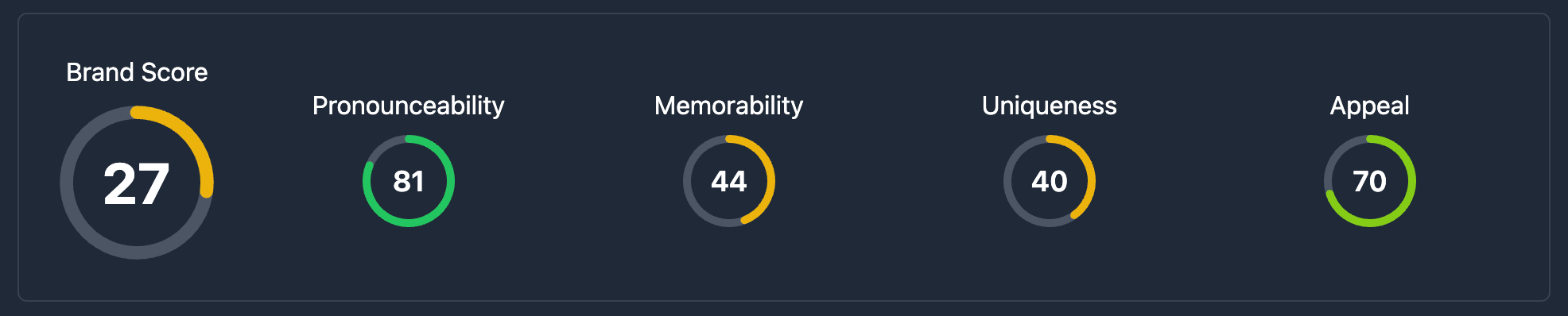
On the left, Brand Score — circular chart 0–100. If not calculated, —.
Components
On the right, four components:
- Pronounceability — how easy the name is to say.
- Memorability — how easy it is to remember.
- Uniqueness — how distinct the name is.
- Appeal — overall brand appeal of the name.
Each component has a 0–100 circle and hover tooltip. If missing, —.
Screenshot placeholder: Karma Brand Score block with main chart and four components.
Filtering by Karma metrics in search
You can use these metrics when filtering domains in database tables with range controls:
- Karma Score and Karma Domain Metric — in Main search filters (main conditions tab).
- Karma Brand Score — in Other filters.
In short
- The Karma.Domains tab has three blocks: Karma Content Score Summary, Karma Domain Metric, and Karma Brand Score.
- Content Score Summary — average content score, red/green patterns, languages, response codes, and tags from the archive.
- Domain Metric — overall 0–100 score and four components: Mass, Continuity, Stability, Trend.
- Brand Score — name score 0–100 and four components: Pronounceability, Memorability, Uniqueness, Appeal.
- Filtering by Karma Score and Karma Metric — Main search filters; Brand Score — Other filters.