- Heading and service link
- Summary cards
- Top Keywords (keyword table)
- Filtering by Keywords Everywhere in search
- In short
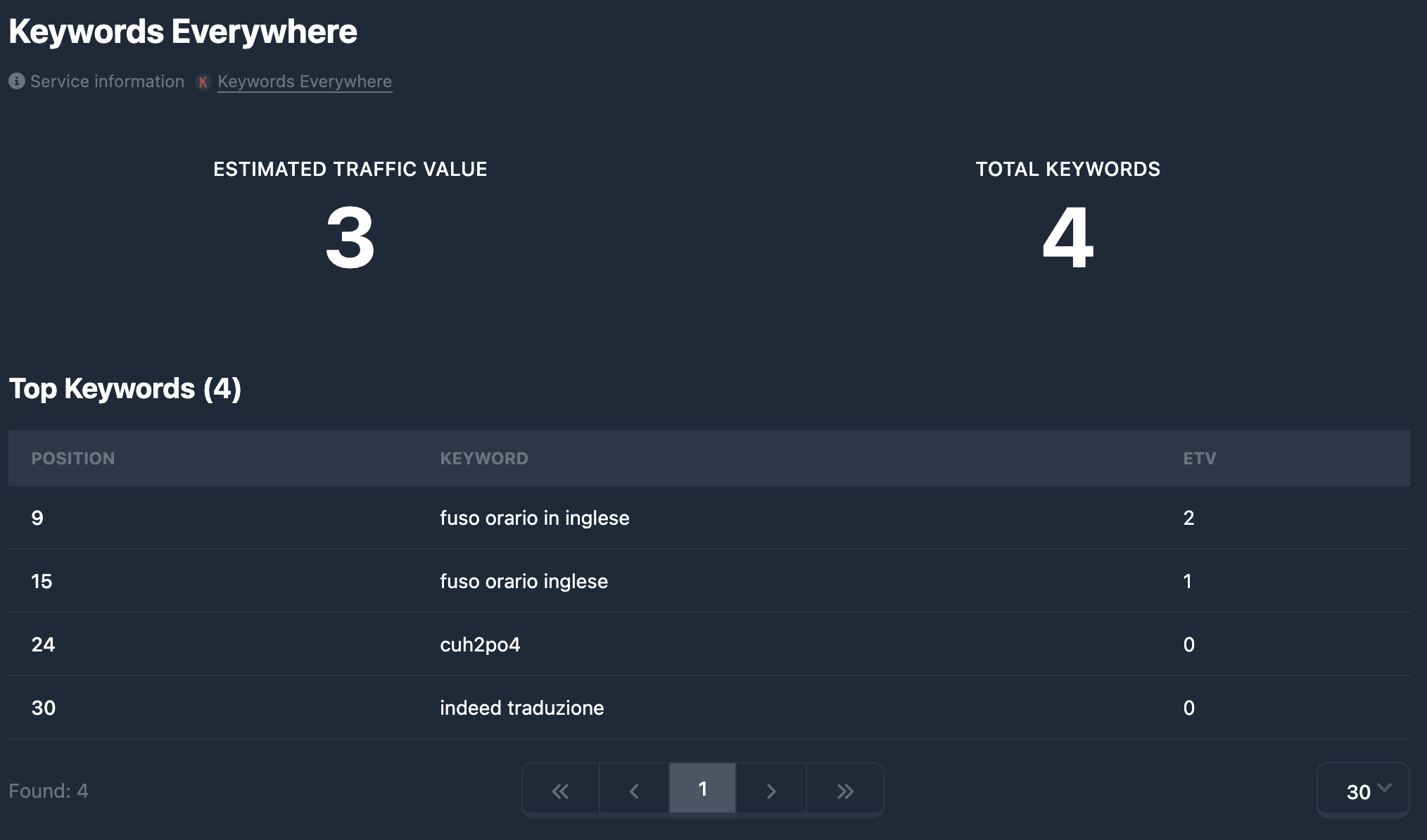
The Keywords Everywhere tab in the domain report shows Keywords Everywhere data: Estimated Traffic Value (ETV) — estimated value of traffic from keywords, Total Keywords — total keyword count, and when available a Top Keywords table with positions and ETV per keyword. Data comes from Keywords Everywhere; Karma.Domains displays the export already retrieved.
If there is no Keywords Everywhere data, the tab shows only the heading and (no data). Cards and the table are hidden.
Heading and service link
At the top — Keywords Everywhere heading and short text that data is from an external source, with a Keywords Everywhere link. It opens keywordseverywhere.com in a new tab. In demo mode the link may be inactive.
Summary cards
Two cards in one row (stacked on narrow screens):
Estimated Traffic Value (ETV) — estimated traffic value in dollars (or the currency Keywords Everywhere uses). Shows potential revenue from organic keyword traffic if monetized. Number with digit grouping. If missing — dash —.
Total Keywords — total number of keywords tracked or returned for the domain. Number with digit grouping. If missing — —.
Top Keywords (keyword table)
When the report includes a keyword list (data), a Top Keywords block appears with total count in parentheses, e.g. Top Keywords (150).
The table has three columns:
- Position — keyword position (ordinal or SERP position, depending on how the service sends data).
- Keyword — keyword text. May be masked in demo mode.
- ETV — Estimated Traffic Value for that keyword. Format matches the API (number or string).
Rows are ordered as in the data (often by ETV descending or by position). Long keywords wrap or truncate to cell width.
Pagination below the table: default 30 rows per page; you can change pages and page size where supported. Pagination may persist for the session (e.g. for the Keywords Everywhere tab).
Filtering by Keywords Everywhere in search
Report metrics (Estimated Traffic Value, Total Keywords, keyword text search, and other fields available in the filter panel) can be used when selecting domains in database tables — in the Keywords Everywhere filters block. Ranges and text conditions are explained in Keywords Everywhere filters.
In short
- The Keywords Everywhere tab shows two summary cards: Estimated Traffic Value (ETV) and Total Keywords.
- When data exists — Top Keywords table with Position, Keyword, ETV and pagination (default 30 per page).
- Use Keywords Everywhere parameters to filter search in databases — see Keywords Everywhere filters.