- Heading and Majestic link
- Main metrics (circle block)
- Additional Metrics
- Filtering by Majestic metrics in search
- In short
The Majestic tab in the domain report shows Majestic metrics: Trust Flow, Citation Flow, backlink and referring domain counts, plus extras — indexed URLs, IPs and subnets, topics, and anchor languages. Data comes from Majestic; Karma.Domains shows the export already retrieved.
If there is no Majestic data, the tab shows only the heading and (no data). Other blocks are hidden.
Heading and Majestic link
At the top — Majestic heading and short text that data is external, with a Majestic.com link. It opens Majestic Site Explorer for this domain (domain filled in) in a new tab. In demo mode the link may be inactive.
Main metrics (circle block)
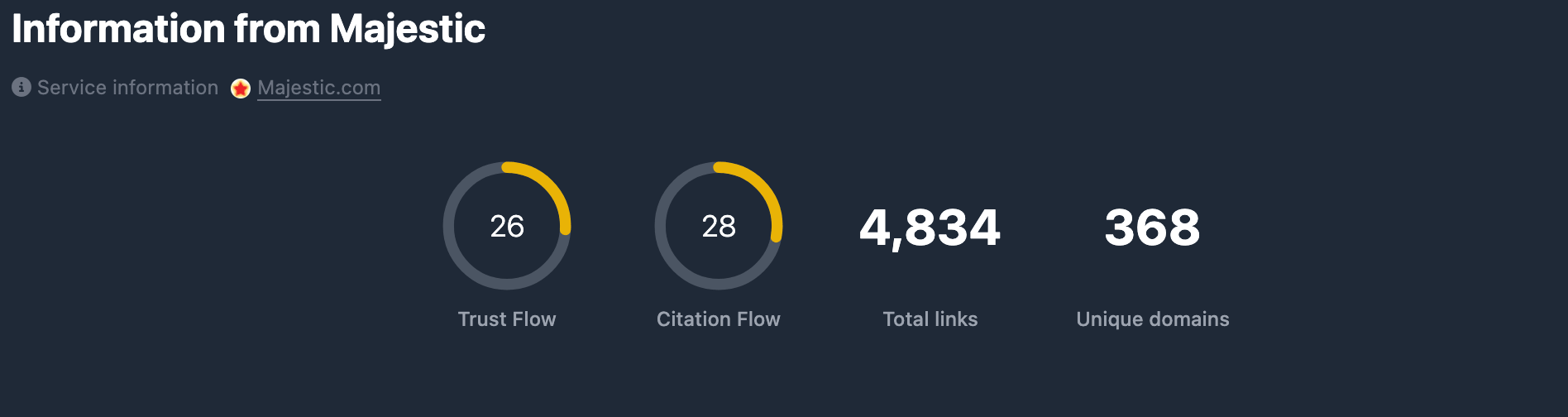
Four indicators in one block:
Trust Flow (TF) — circular chart 0–100. Reflects trust of linking sites per Majestic. Circle color depends on level (low / medium / high). If missing — —.
Citation Flow (CF) — circular chart 0–100. Reflects citation strength — how much the domain is linked to. Same color thresholds. If missing — —.
Backlinks (BL) — backlink count. Number with digit grouping. If missing — —.
Referring Domains (RD) — unique referring domains. Number with digit grouping. If missing — —.
Additional Metrics
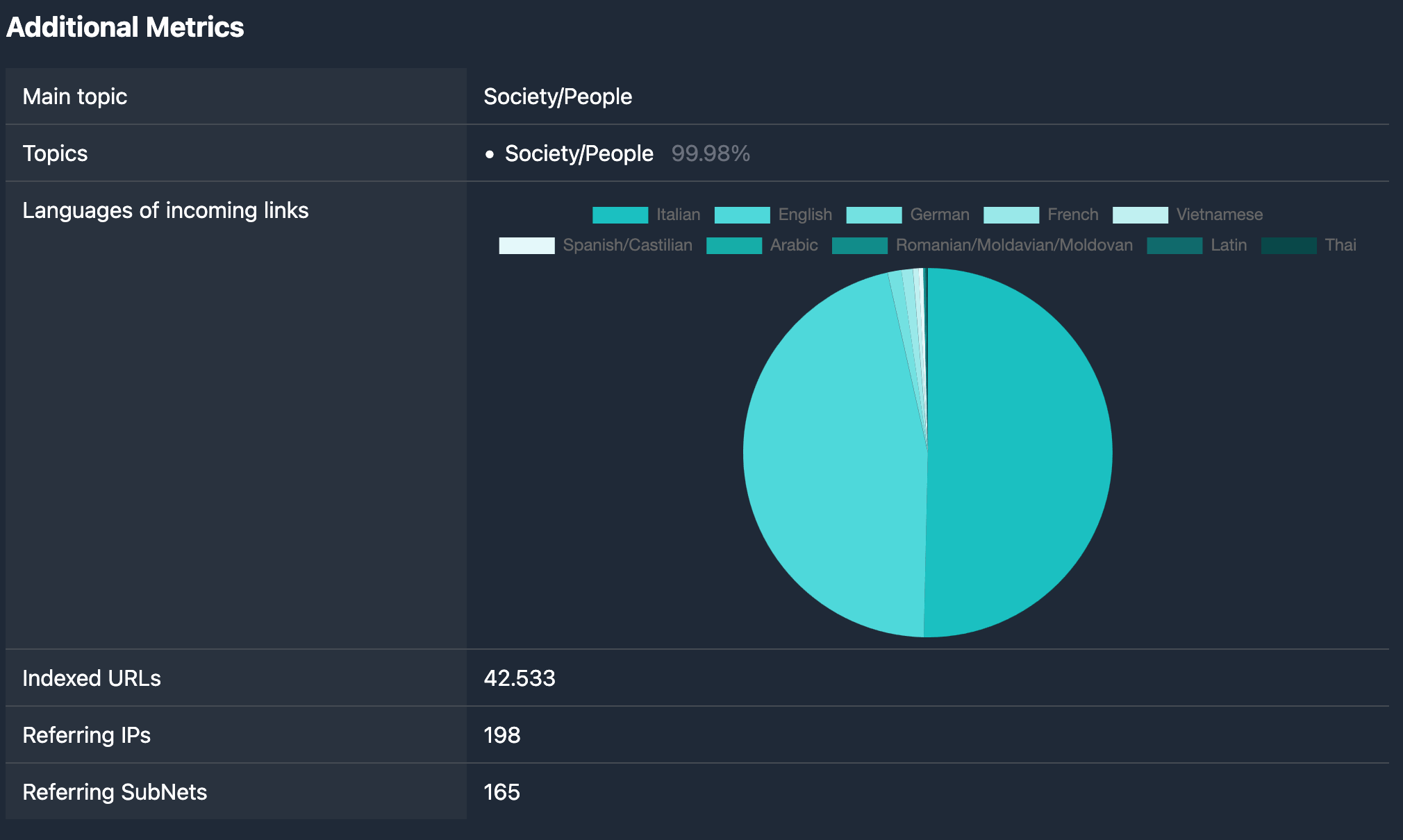
Additional Metrics heading and “parameter — value” rows. Fields depend on Majestic’s response; typical items:
Indexed URLs — count of URLs indexed for the domain in Majestic’s database. Number with digit grouping.
Referring IPs — unique IP addresses linking to the domain. Number with digit grouping.
Referring SubNets — unique subnets among referring IPs. Number with digit grouping.
Topics — topics associated with the domain from links. List: topic name and percentage. If none — (no data).
Primary topic — main topic. One line. If missing — (no data).
Anchor languages — distribution of anchor text languages. Shown as:
- Pie chart: language shares in percent;
- Below the chart — list of languages (name or code) and percentage; others may appear for the rest.
If Anchor languages has no data — (no data).
Not all fields are always present — only those returned for this report.
Filtering by Majestic metrics in search
Majestic metrics from the report (Trust Flow, Citation Flow, backlinks, referring domains, and other filter fields) can be used when selecting domains in database tables — in the Majestic filters block. Details are in Majestic filters.
In short
- The Majestic tab shows Trust Flow, Citation Flow, Backlinks, Referring Domains.
- Additional Metrics — Indexed URLs, Referring IPs, Referring SubNets, Topics, Primary topic, Anchor languages (pie chart and language list with percents).
- Filter search by Majestic parameters — see Majestic filters.