
An ecommerce SEO audit finds what blocks product and category pages from ranking and converting. You need crawl data, a clear goal, and a fixed order of operations: technical blockers first, then architecture and keywords, then content and links, then UX. This guide walks through each layer and how to prioritize fixes. For authority benchmarks during competitor research, our free Domain Authority Checker compares DA, DR, UR, and Karma Domain Metric for up to 10 domains at once.
Table of Contents
- Table of Contents
- Introduction
- Why run an ecommerce SEO audit?
- Before you start: data and baselines
- Technical SEO for ecommerce
- Site architecture and internal linking
- Keyword and search intent
- On-page SEO on templates that scale
- Content quality for products and categories
- Backlinks and authority
- User experience and conversion signals
- Prioritize fixes: impact vs effort
- Monitor after changes
- Common ecommerce audit mistakes
- FAQ
- Conclusion
Introduction
Organic traffic is supposed to compound. For many stores it leaks instead: faceted URLs indexed twice, category pages with no copy, product descriptions copied from the manufacturer, and a checkout that loads slow on mobile.
An audit is how you stop guessing. Not a one-time PDF that sits in Drive, but a repeatable review that ties findings to revenue: which fixes unblock crawling, which pages deserve links, which keywords actually match buyer intent.
What follows is a full ecommerce SEO audit workflow. Technical health, structure, keywords, on-page elements, content, backlinks, UX, prioritization, and ongoing monitoring.
Why run an ecommerce SEO audit?
The point is simple: see where the store fails search engines and shoppers at the same time.
Barriers show up as crawl errors, thin URLs, wrong intent targeting, or weak authority next to competitors. Opportunities show up as category gaps, long-tail product queries, and internal links you never added.
Treat technical SEO, on-page relevance, content, and links as one system. Fixing canonicals while publishing duplicate product text wastes the first effort. A good audit connects the layers.
Run it again on a schedule. Algorithms shift, competitors build links, your catalog changes. Quarterly is a reasonable default for mid-size stores; monthly crawls if you launch SKUs constantly.
Before you start: data and baselines
Pull exports before you change anything:
- Google Search Console: coverage, crawl stats, queries, page performance
- Google Analytics (or equivalent): organic sessions, landing pages, revenue by channel
- A crawler (Screaming Frog, Sitebulb, or your platform's built-in tools): status codes, titles, duplicates, depth
Define the goal for this audit cycle. More category visibility? Higher conversion on product landers? Expansion into a new product line? Without a goal, every issue looks equally urgent.
Write down baselines: top keyword positions, organic sessions, bounce rate on key templates, revenue from organic. You need before numbers to know if the audit paid off.
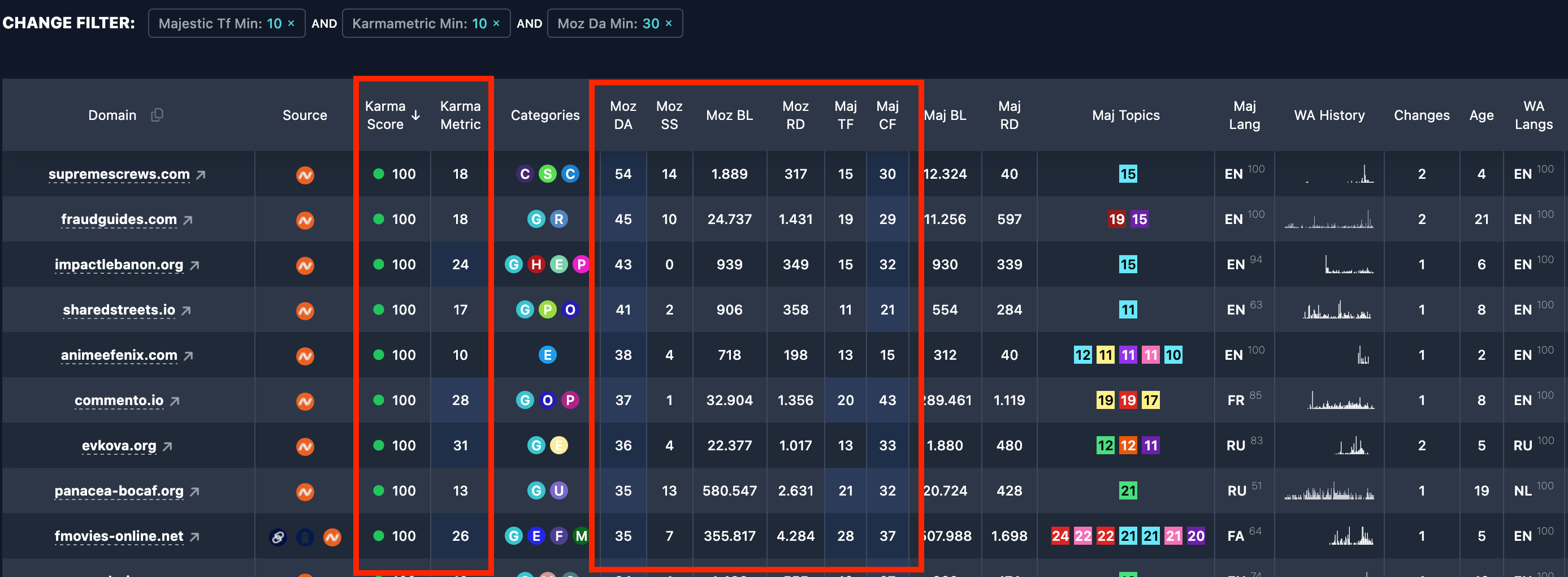
If you are comparing your store to competitors or evaluating a domain migration (including an aged or expired domain), baseline authority too. Our Domain Authority Checker returns DA, DR, UR, spam score, and KDM in one batch. For history beyond links, add Karma Domain Metric and Karma Score.
Technical SEO for ecommerce
Start with crawl and indexation. Search engines cannot rank URLs they cannot fetch or that you accidentally block.
Common ecommerce problems:
- Broken links and 404s on out-of-stock or discontinued SKUs
noindexorrobots.txtblocking CSS/JS needed for rendering- Wrong canonicals on variants, filters, and pagination
- Parameter URLs indexed as separate pages
- HTTP versions still live beside HTTPS
Fix these before you rewrite titles on 4,000 products.
Speed matters for SEO and checkout completion. Slow LCP on category pages loses both rankings and carts. Check Core Web Vitals, image compression, lazy loading, CDN, and server response time. Ecommerce sites are image-heavy; that is where speed audits usually hurt.
Mobile is not optional. A large share of purchases starts on a phone. Test real devices, not just Google's mobile-friendly flag. Tap targets, filters, and sticky add-to-cart bars break easily in responsive themes.
Site architecture and internal linking
Ecommerce IA should be shallow enough that money pages get crawled often:
- Home → category → subcategory → product is the default mental model
- Pages buried six clicks deep tend to rank poorly regardless of on-page work
- Faceted navigation needs a clear rule: index strategic filters, noindex or canonical the long tail of junk combinations
Internal links distribute authority and clarify topics. Link related products to each other. Link category hubs to best sellers and buying guides. Link blog posts to the categories they support.
Orphan product pages (zero internal inlinks) are a frequent find in audits. They sit in the sitemap but never appear in navigation or body links. Crawlers deprioritize them.
For how internal links affect page-level strength, see how to increase page authority. Domain-wide DA/DR is a separate read; product URLs need their own equity.
Keyword and search intent
Ecommerce URLs fall into intent buckets:
- Category pages: commercial ("running shoes", "office desks")
- Product pages: transactional ("Nike Pegasus 40 size 10")
- Guides and blog: informational ("how to choose a standing desk")
Mismatch kills conversions. A product page targeting a broad category term rarely ranks; a category page targeting a SKU-level query feels wrong to the user.
Map keywords to template types. Pull GSC queries and compare to page type. Flag cannibalization where two URLs fight for the same term.
Find long-tail gaps competitors rank for with thin pages. In ecommerce, specific product + attribute queries often convert faster than head terms.
Benchmark competitor authority on the terms you care about. Higher DR/DA alone does not win, but a 15-point gap on a competitive category explains why their category page outranks yours with similar copy. Use DA and DR for direction, not as targets in themselves.
On-page SEO on templates that scale
Audits at scale mean sampling plus rules, not hand-editing every SKU first pass.
Check on category and product templates:
- Unique title tags and meta descriptions (placeholders like
{{product_name}} | {{brand}}are fine if they stay unique) - One clear H1 per page
- Logical H2/H3 on categories with intro copy
- Clean URLs without endless parameter strings in the indexed version
- Image file names and alt text (descriptive, not stuffed)
- Schema: Product, Offer, BreadcrumbList, Organization where applicable
Click-through rate matters. A page at position 5 with a generic title loses clicks to a sharper snippet at position 6. Treat metadata as ad copy with keywords, not keyword lists.
Content quality for products and categories
Duplicate manufacturer descriptions are the default ecommerce SEO failure. Google has seen the same paragraph on fifty stores. Rewrite what you can on hero SKUs; at minimum add unique intro blocks, specs, and FAQs on priority URLs.
Category pages need more than a grid. A short unique intro (what the category covers, how to choose, internal links to subcategories) helps relevance and users.
Supporting content (buying guides, comparisons, size charts) captures top-of-funnel queries and feeds internal links to transactional pages. Audit which guides exist, which categories they link to, and whether those links are still valid.
Backlinks and authority
Ecommerce competes on links like any other vertical. Review:
- Total referring domains vs top competitors
- Toxic or irrelevant links (spam score spikes in Moz or similar)
- Anchor text distribution (over-optimized exact match is a risk)
- Whether links point at homepage only while category pages starve
Digital PR, supplier features, reviews roundups, and genuinely useful tools earn links. Buying links trades short-term metrics for long-term risk.
If the brand recently moved domains or you inherited a store on a purchased domain, authority history matters separately from the current catalog. Check Wayback and KDM before you assume DR reflects the present site.

User experience and conversion signals
SEO and CRO overlap on ecommerce.
Review behavior on key templates: bounce rate, time on page, add-to-cart rate, exit rate on checkout steps. A high-ranking page that never sells may be the wrong intent or a broken layout.
Navigation and on-site search: broken filters, zero-result searches, and dead ends hurt engagement. Google does not use bounce rate as a direct ranking factor in a simple way, but frustrated users do not buy or return.
Trust signals: reviews, return policy, shipping clarity, HTTPS, contact info. They affect conversion; stronger engagement supports the business case for SEO investment.
Prioritize fixes: impact vs effort
Not everything from the audit ships this sprint.
Typical priority order:
- Blockers: indexation, canonicals, major crawl errors, HTTPS mixed content
- High-traffic losers: pages with impressions but poor position or CTR
- Template fixes: one change that improves 2,000 product URLs
- Content rewrites: start with top revenue SKUs and categories
- Link building: ongoing, focused on URLs that already convert
Document owners and dates. Audits die in spreadsheets when no one owns implementation.
Monitor after changes
Recrawl after deploys. Watch GSC coverage and query shifts for 4 to 8 weeks on larger sites.
Track organic revenue, not just rankings. Position 3 on a term that does not buy is vanity.
Schedule the next audit. Quarterly full passes plus automated weekly crawl alerts for 404 spikes and index bloat catch most regressions early.
Feed SEO findings into paid search and email. Keywords that rank on page 2 with high conversion are often cheap PPC wins while you keep pushing organic.
Common ecommerce audit mistakes
Auditing only the homepage and a handful of products while 10,000 SKUs share broken templates.
Indexing every filter combination and drowning the crawl budget.
Rewriting meta tags before fixing canonical chaos.
Ignoring out-of-stock and discontinued URL policy (404 vs 410 vs keep with noindex).
Benchmarking competitors on traffic alone without authority context.
Treating the audit as a deliverable instead of a backlog with owners.
FAQ
How often should an ecommerce site run an SEO audit?
Quarterly for a full pass is typical. Add continuous monitoring for crawl errors and index growth if the catalog changes weekly.
What tools do you need at minimum?
Google Search Console, analytics with revenue tracking, and a crawler. Link tools (Moz, Ahrefs, Semrush) help for backlink sections.
Does DA matter for ecommerce?
DA is a Moz link metric, not a Google score. It is useful for comparing domain strength to competitors. Pair it with page-level UR/PA on key URLs and real ranking data.
Should product variants be separate URLs or one page?
Depends on platform and search demand. Often one canonical product URL with selectable variants is cleaner. Separate URLs only when distinct search demand exists per variant.
Where do internal links matter most in ecommerce?
Category hubs, bestsellers, related products, and guides linking down to transactional pages. See the page authority guide for the mechanics.
Conclusion
An effective ecommerce SEO audit connects technical crawl health, architecture, intent-matched keywords, scalable on-page templates, unique content on money pages, a sane backlink profile, and UX that converts.
Gather data first, fix blockers, prioritize by traffic and revenue impact, ship template-level wins, then invest in content and links where the numbers justify it.
Benchmark authority with our Domain Authority Checker when you compare competitors or evaluate domains. Run the audit on a calendar, measure organic revenue after changes, and treat the next quarter's crawl report as the starting line, not the finish.